

Local AI models
Find the models filling your disk, including the ones you have twice.
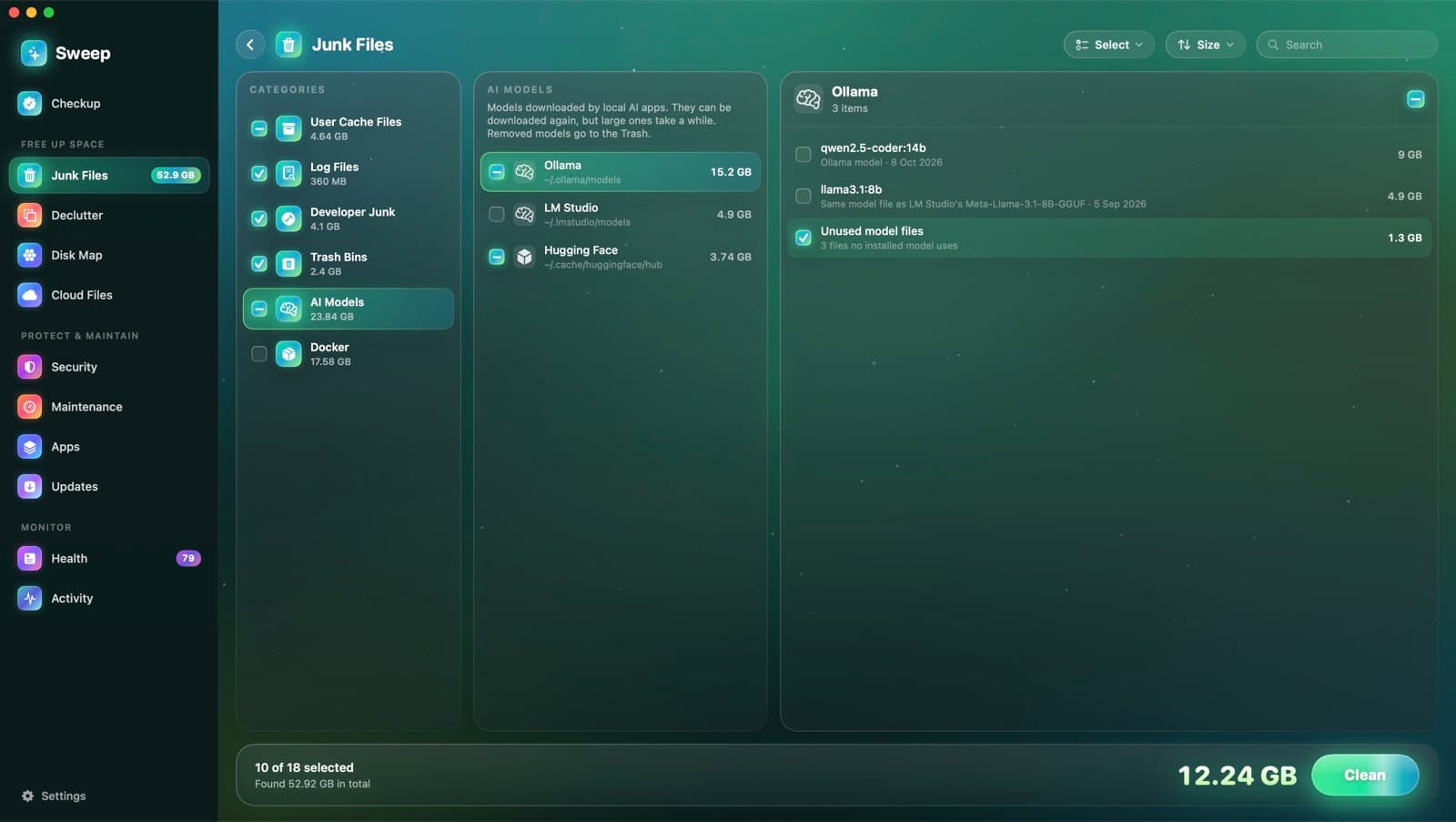
Sweep lists the models you downloaded with Ollama, LM Studio and Hugging Face tools, with their size and date. It points out the same model kept by two apps, and removed models go to the Trash.
Every model, measured properly
- Ollama models, measured by the files only that model uses
- Ollama model files no installed model uses
- LM Studio models, with publisher and format
- Hugging Face models and datasets in the hub cache
- Hugging Face's download cache
- Models from GPT4All, PyTorch Hub and Whisper
- The same model file kept by both Ollama and LM Studio
Found where your apps really keep them
- 1
Finds each app's folder
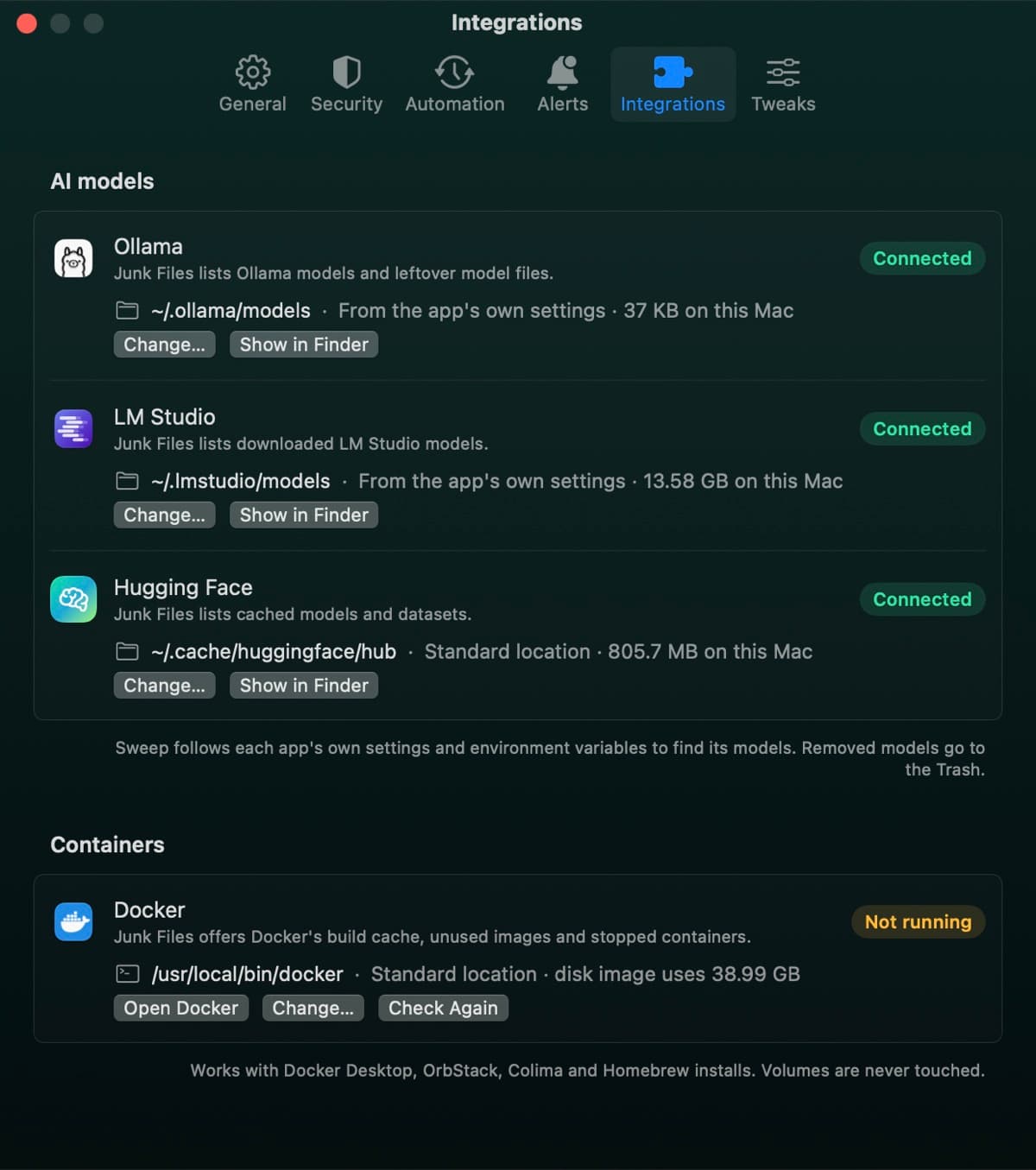
Sweep follows each app's own settings and environment variables, so models in a custom folder are found too.
- 2
Spots the same model twice
Models kept by both Ollama and LM Studio are compared by size, then by a sampled hash, and marked as the same model.
- 3
Leaves the choice to you
No model is ticked for you, because big ones take a while to download again. Removed models go to the Trash.
See where your models live
Integrations shows each app's model folder, how much it holds and whether Sweep found it. Point Sweep at another folder, or open it in Finder.
- Ollama, LM Studio and Hugging Face
- Change… and Show in Finder for each
- Docker's status in the same place
AI model questions
Something else? Ask us.
Works well with
Junk Files
Sweep finds caches, logs, old iPhone backups, installers and full Trash bins, and shows you every file before anything goes. You choose what to clean, down to a single file.
ExploreDocker cleanup
Sweep asks Docker what it can free: build cache, unused images and stopped containers. It cleans them with Docker's own commands and never touches volumes.
ExploreSystem Data, explained
Storage settings lump a lot into System Data. Sweep measures what's in it on your Mac, says who looks after each part, and links to where you can act.
Explore
Clean, protect and understand your Mac.
Finds junk, big files and leftovers, checks for malware and risky settings, keeps apps updated, and shows what your Mac does when you're not looking. Free and open source.