

Clean, protect and understand your Mac.
Sweep finds the junk, big files and forgotten leftovers filling your Mac, checks it for malware and risky settings, keeps every app up to date, and shows you what your Mac does while you're not looking. Nothing is removed until you've reviewed it.
Version 0.1.0 · macOS 14 or later · Apple silicon and Intel
- Price
- Free
- Licence
- GPL-3.0
- Account
- None needed
- Tracking
- None
Everything your Mac needs, in one app
33 features in five groups: free up space, apps, protect, monitor and power-user tools. Here are the ones people reach for first.
Checkup
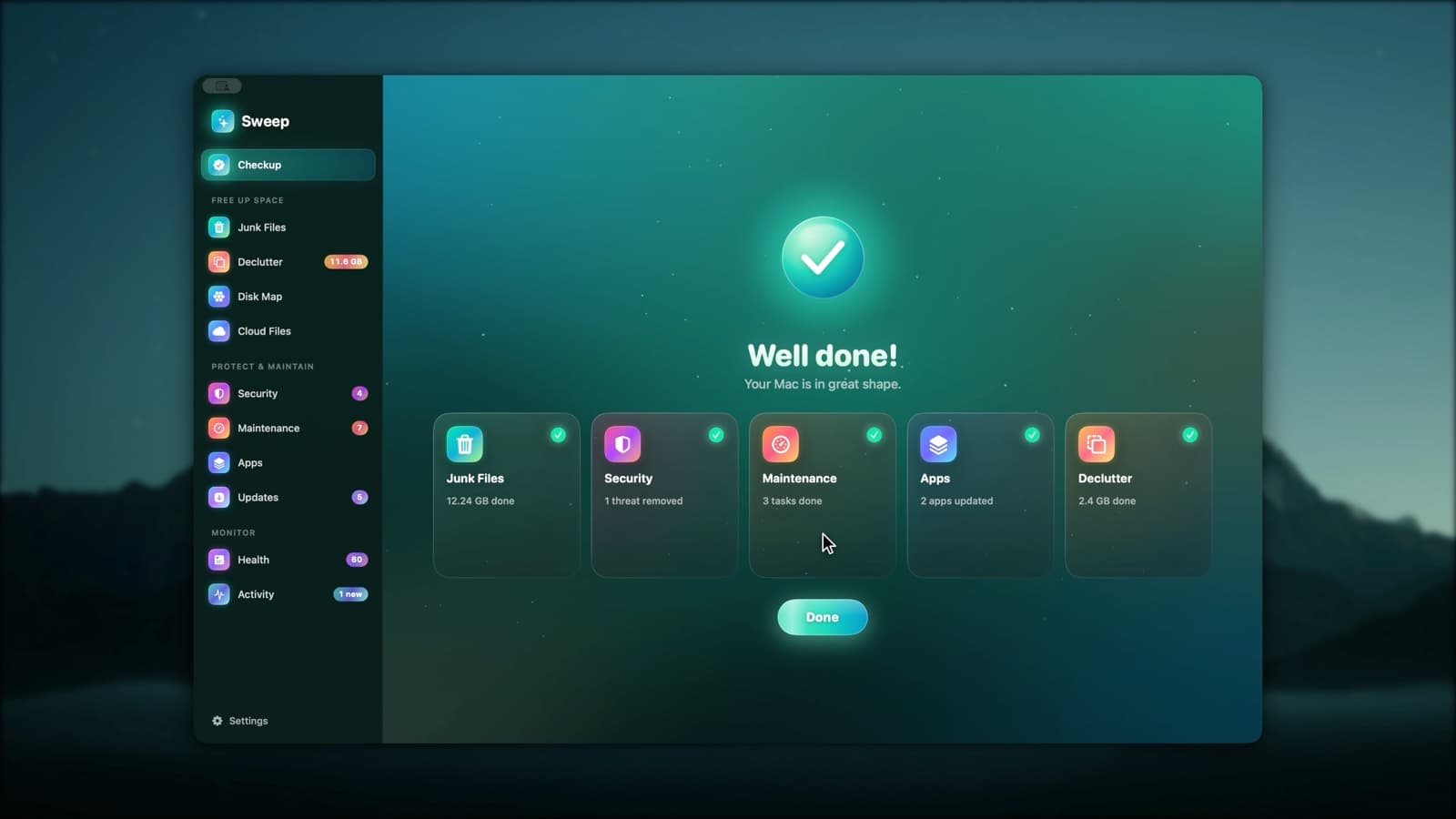
Press Scan once and Sweep looks for junk, threats, maintenance tasks and app updates in turn. Review any card, or run everything at once.
ExploreJunk Files
Sweep finds caches, logs, old iPhone backups, installers and full Trash bins, and shows you every file before anything goes. You choose what to clean, down to a single file.
ExploreDisk Map
A live bubble map of any disk or folder: the bigger the bubble, the bigger the folder. Hover for details, double-click to go inside, and remove what you don't need, with a log of every item.
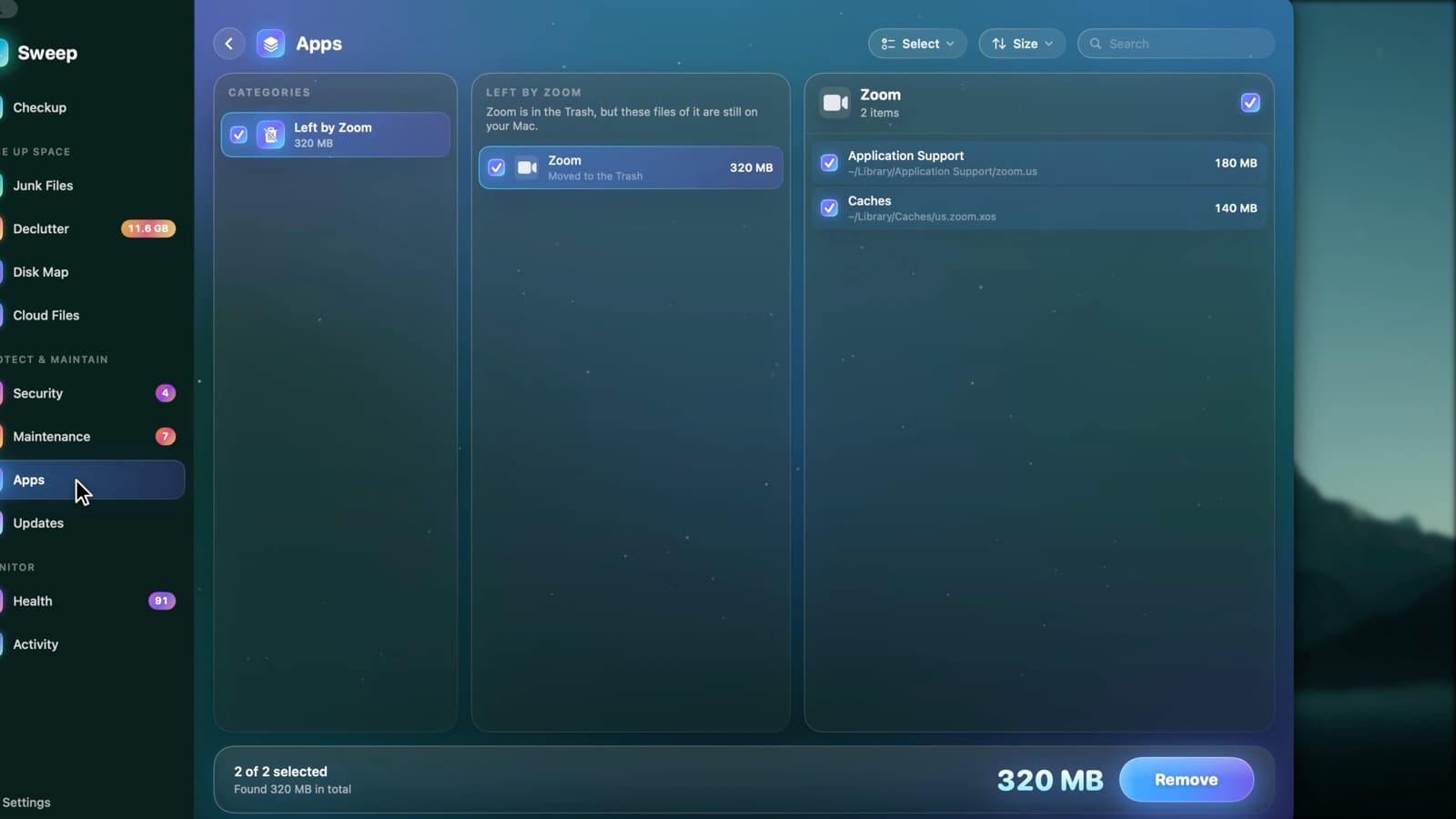
ExploreComplete uninstalls
Dragging an app to the Trash leaves its caches, settings and helpers behind. Sweep finds the files an app owns across your Library and the system's, so you can remove all of it, or reset the app to a clean start.
ExploreUpdates
Sweep checks each app's own update feed, the App Store and Homebrew, and shows every update together. Update All asks before quitting open apps, and reopens them afterwards.
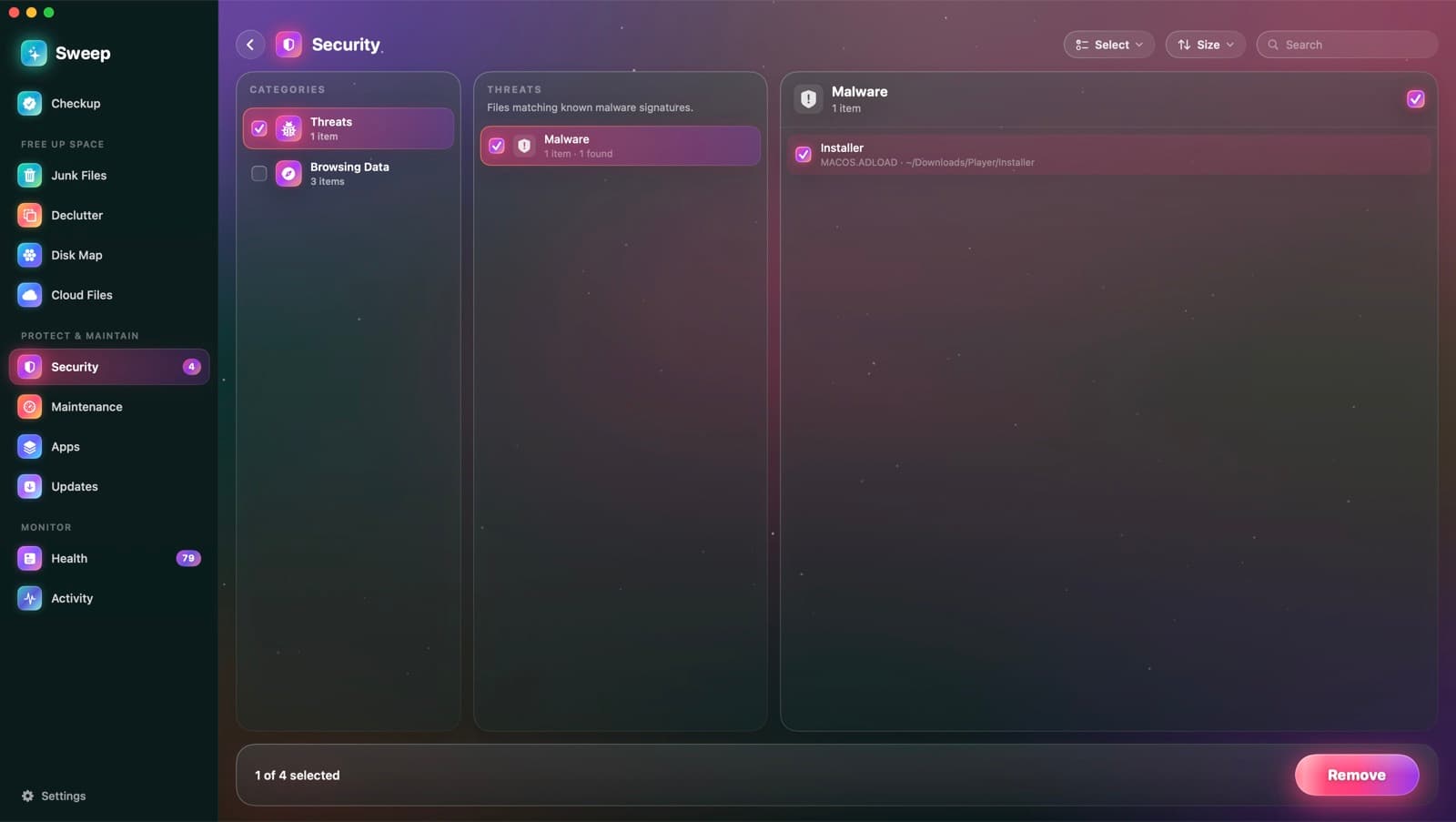
ExploreMalware scan
Sweep checks your apps, startup items and downloads against the XProtect rules already on your Mac, plus any YARA rules you add. Anything it finds goes to a quarantine you can restore from.
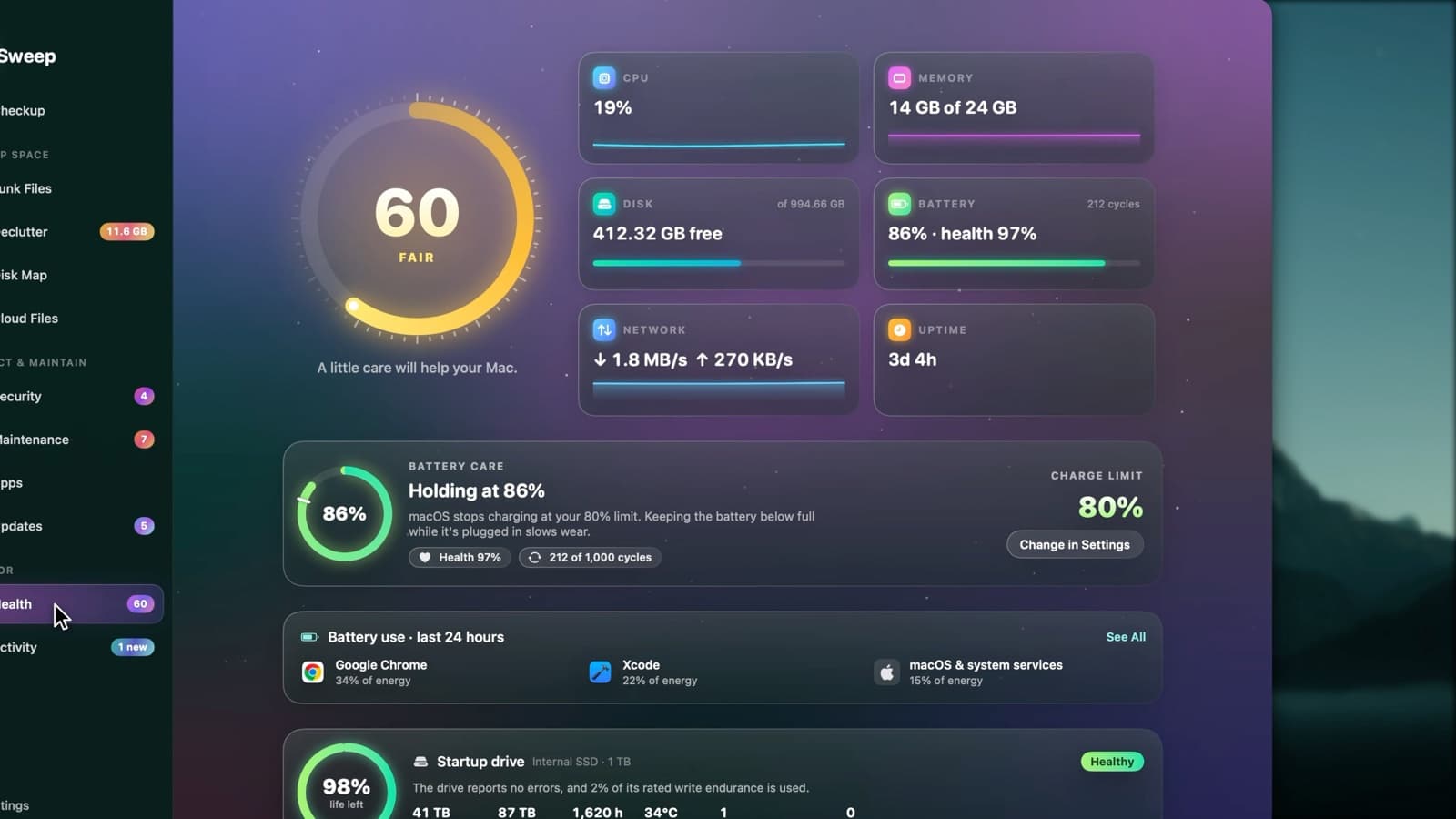
ExploreHealth score
Health starts at 100 and takes off a fixed number of points for each problem it finds, so every point lost comes with a reason. Each recommendation opens the page that fixes it.
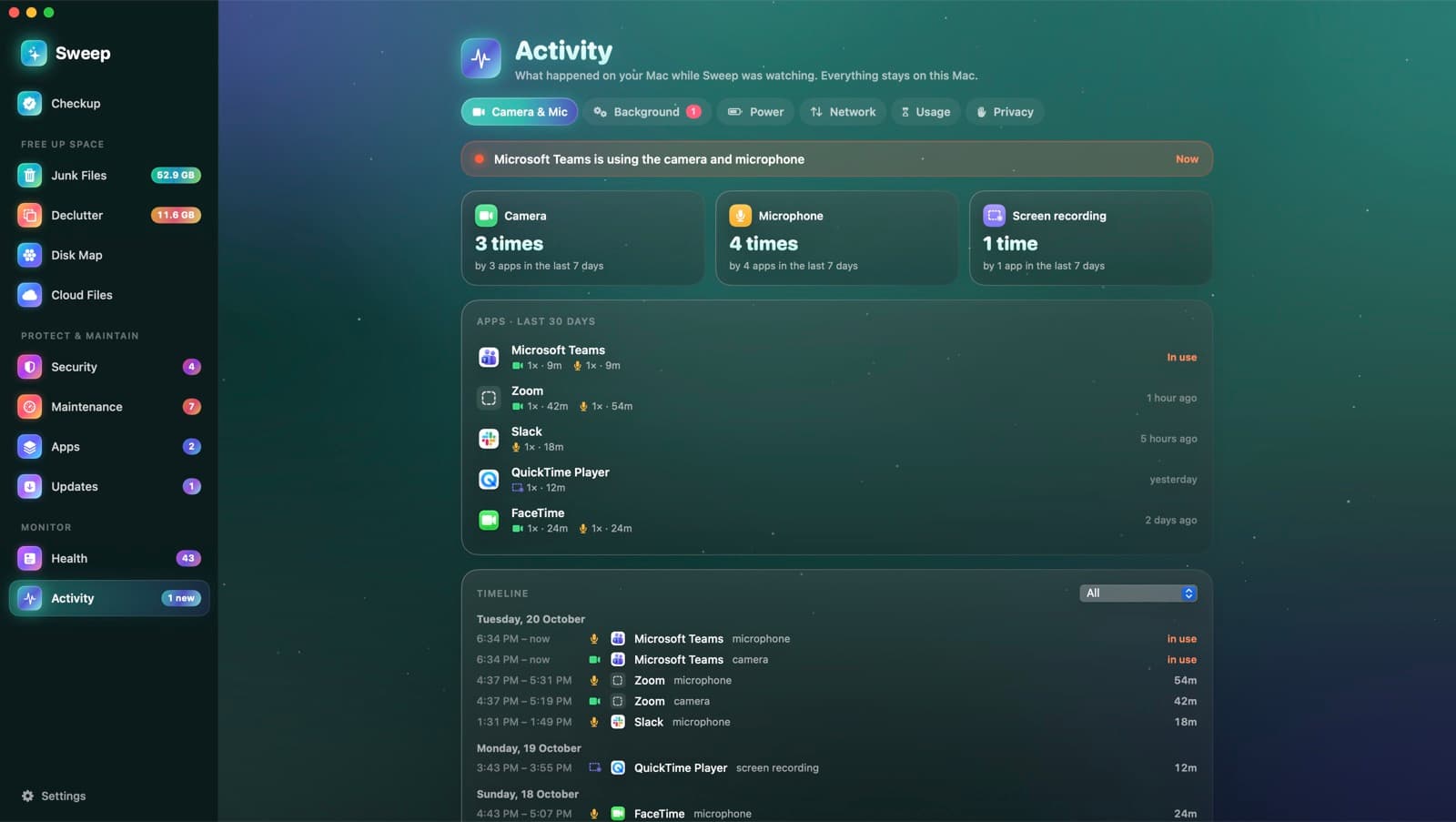
ExploreCamera and mic history
macOS shows a dot while an app uses your camera or microphone, then forgets. Sweep keeps the history: every use, by which app, when and for how long, including screen recording.
ExploreMenu bar and alerts
Sweep's menu bar shows live readings and who's using the camera, and warns you about an app stuck at full CPU, a memory hog, heat slowdowns and low accessory batteries. Every alert can be tuned or switched off.
ExploreOne scan for your whole Mac
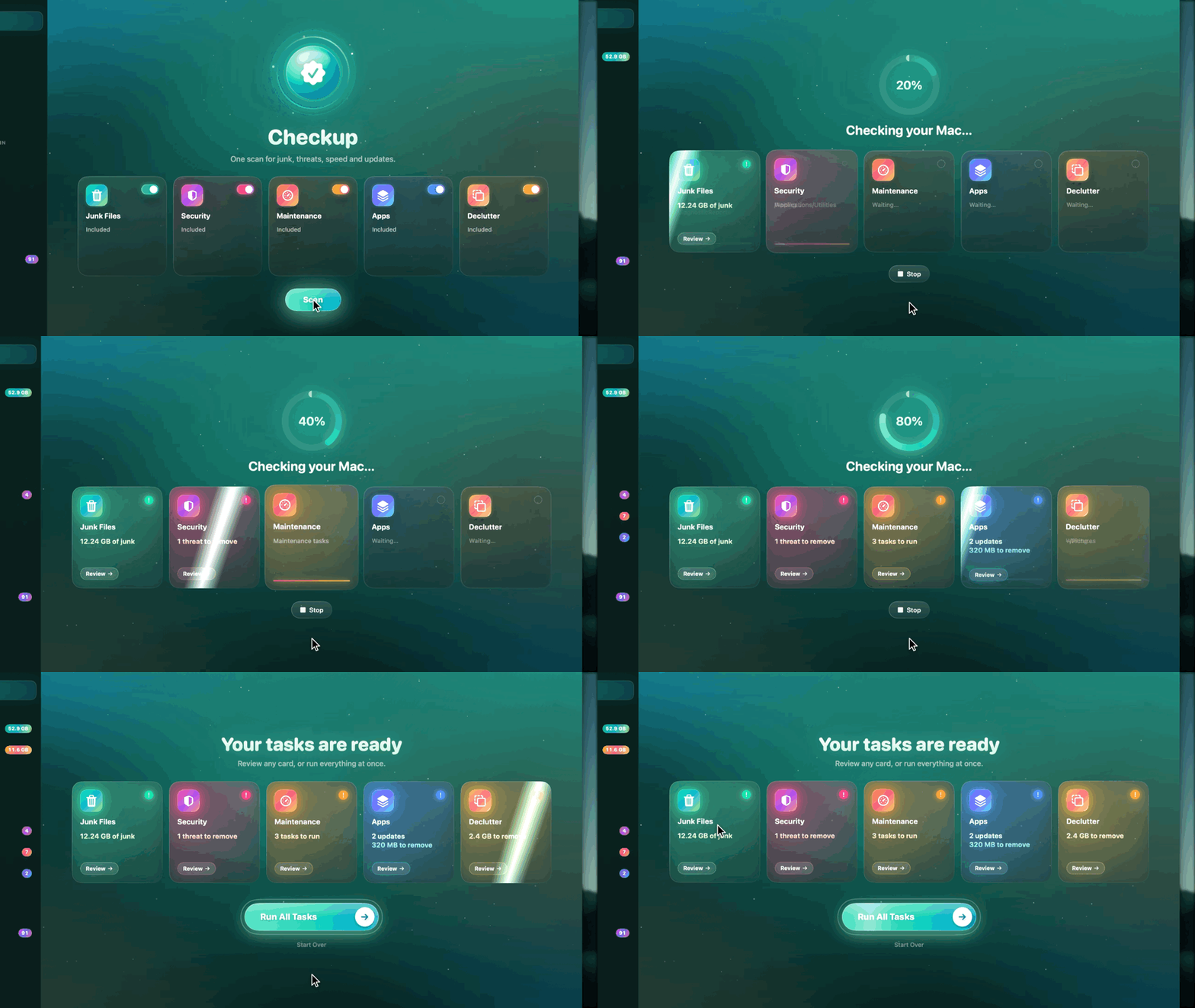
Press Scan once: Junk Files, Security, Maintenance and Apps run one after another, and each card lights up with what it found. Open any card to review it, or run everything at once.
- Junk, threats, tasks and updates in one pass
- Declutter joins in if you switch it on
- A log of every item when it's done
Gigabytes back, including the junk others miss
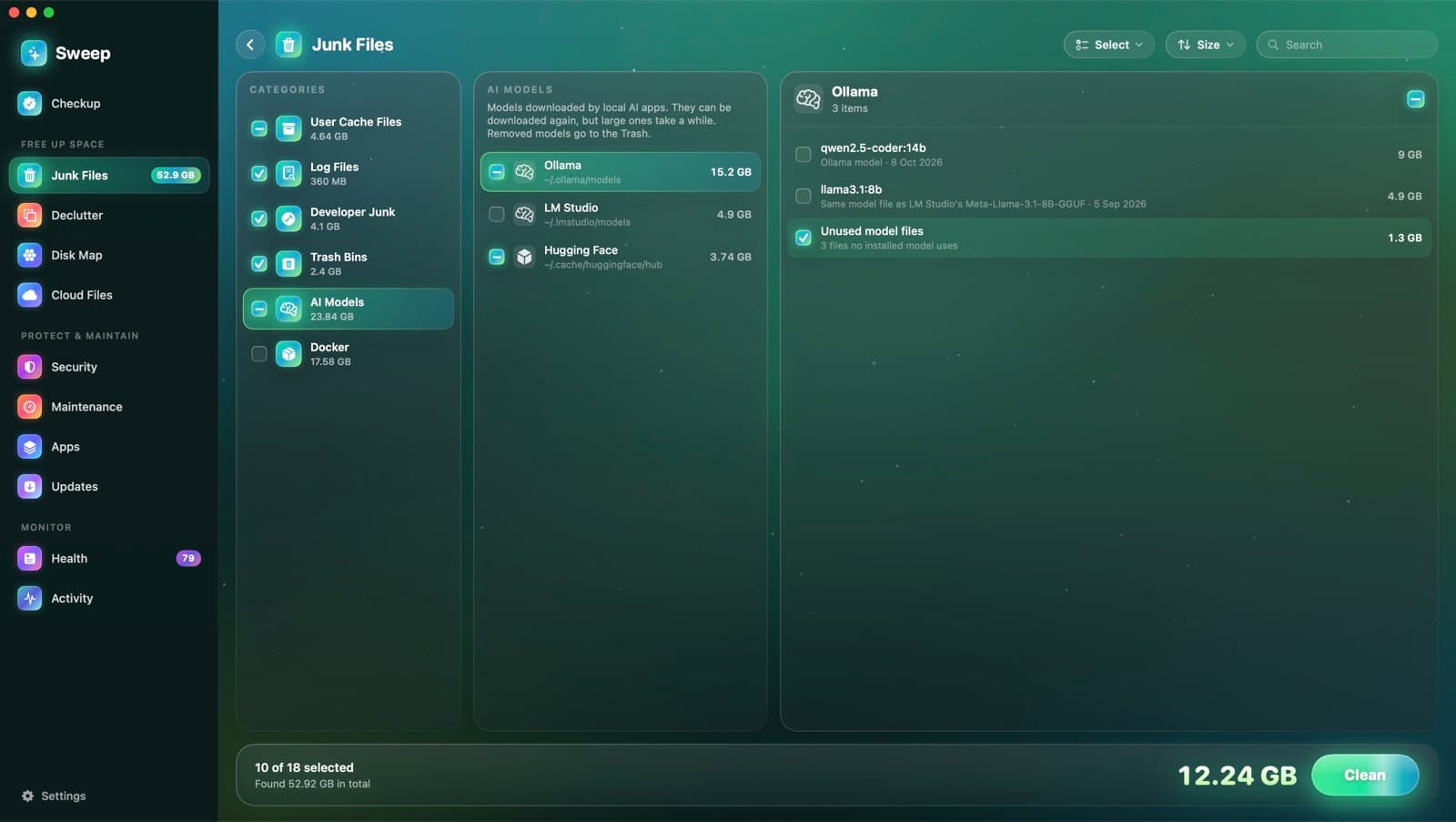
Caches, logs, old iPhone backups and installers, plus the developer and AI leftovers that pile up fastest. You review every category, group and file before anything goes.
- Xcode, simulators and package manager caches
- Local AI models, including the same model kept twice
- Docker's build cache and unused images, never volumes
See exactly where your space went
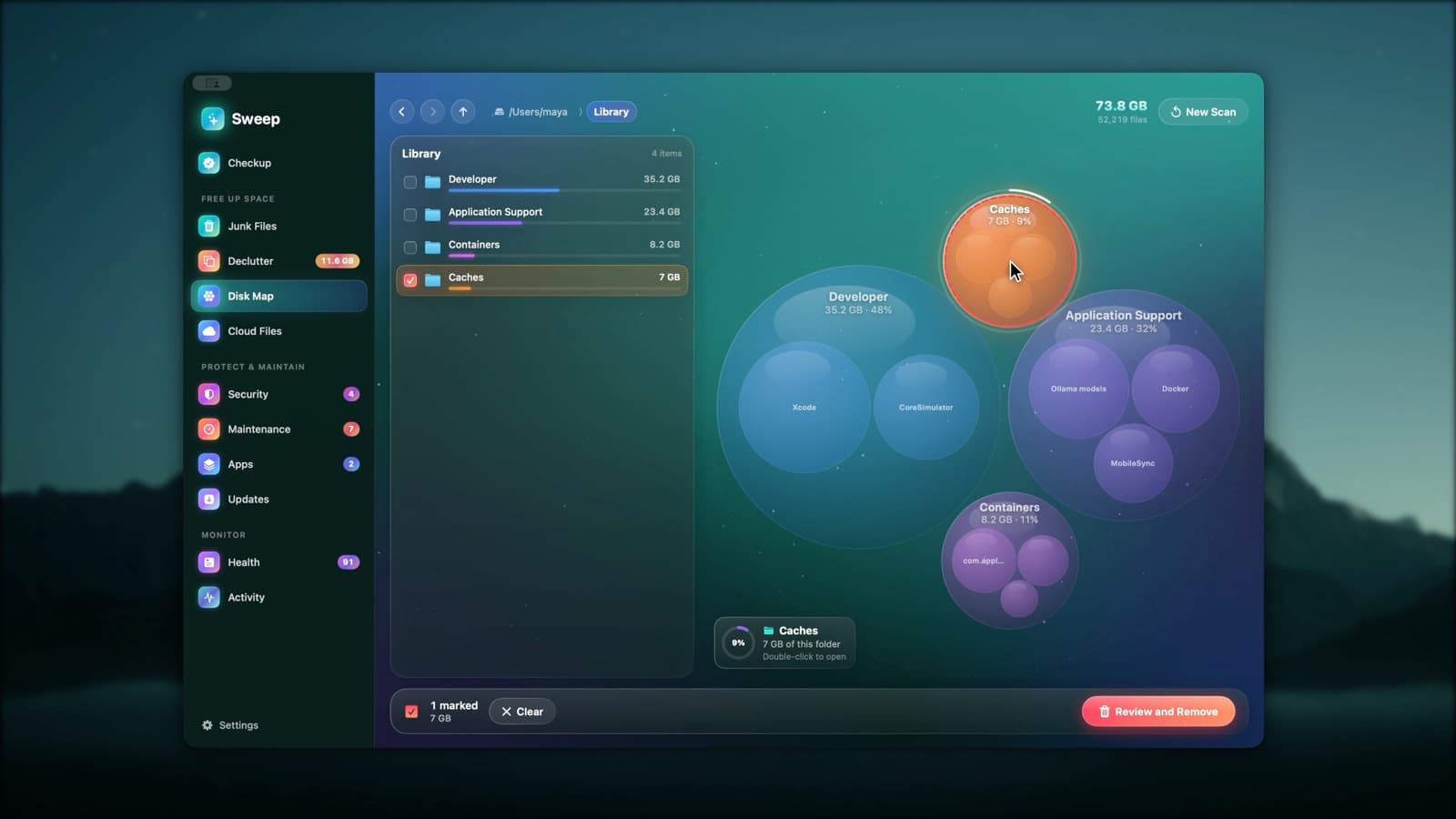
A live bubble map of any disk or folder. Every scan is remembered, so the next one shows what grew and points to the folder that explains it. Even macOS's System Data gets explained.
- Bigger bubble, bigger folder
- What Grew since your last scan
- System Data, broken down into parts you can act on
Uninstall completely, and keep everything current
Remove any app with the caches, preferences and helpers it spread around. Drag an app to the Trash and Sweep finds what it left behind. Updates from developers, the App Store and Homebrew arrive in one list.
- Leftovers of apps deleted long ago
- Intel-only apps that will need Rosetta
- Update All, with signatures checked
Apple's own malware rules, on demand
Sweep runs the XProtect rules already on your Mac, plus your own YARA rules, across apps, startup items and downloads. A security checklist covers the settings that matter, each with a fix.
- A quarantine you can restore from
- Startup items that behave like adware
- Browsing data from nine browsers
A health score you can trust
A transparent 0–100 score where every point lost comes with a reason and a fix. Live readings, Battery Care, and drive health straight from your SSD's own log.
- FileVault, firewall, Gatekeeper, SIP and more
- Battery health, cycles and charge limit
- Drive life left, data written and temperature
What your Mac did while you weren't looking
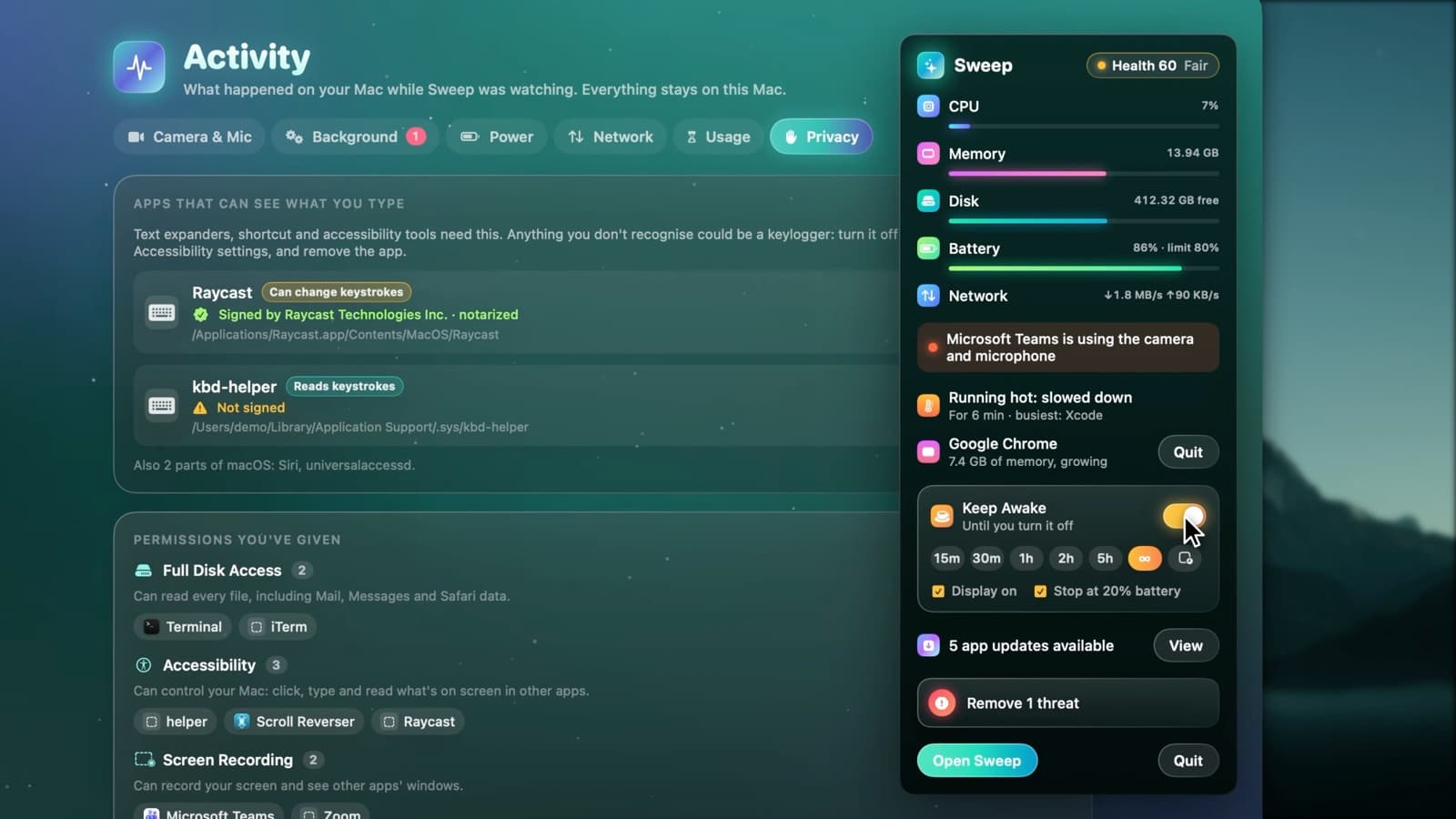
Every camera and microphone use, everything that starts by itself, battery drain and data use by app, and the apps that can see what you type. It all stays on your Mac.
- New background items are flagged
- Data use with a warning on phone hotspots
- Every permission you've given, in one place
The alerts macOS doesn't give you
Live readings, who's using the camera, and a warning when an app is stuck at full CPU, memory runs short, your Mac slows down from heat or your AirPods run low. Keep Awake is one click away.
- Quit a runaway app from the menu bar
- Accessory batteries at a glance
- Keep Awake for a while, or while an app is open
Careful with your Mac, by default
Sweep runs with Full Disk Access and can remove files, so it's built to be careful first.
Nothing goes without review
Every scan ends in a list you can check, change or cancel.
The Trash first
Anything you might want back goes to the Trash: AI models, Disk Map removals, Declutter, uninstalled apps and auto-tidy.
No surprises across disks
Scans never cross into other disks, never follow symlinks and never download iCloud files.
Threats are quarantined
Malware is moved to a quarantine you can restore from, never deleted on the spot.
No account, no tracking
No analytics. Sweep only goes online to check for updates to your apps.
Open source
Read exactly what Sweep does before you give it Full Disk Access.
How Sweep keeps your files safe
A removal policy that refuses system folders, a review before every removal, a log after it, and scans that never cross disks or download cloud files.
Read about safetyReady in a minute
- 1
Download Sweep.dmg
Get the latest release from GitHub, open it and drag Sweep to Applications.
- 2
Open it the first time
Until Sweep is notarized, macOS asks you to confirm. Go to System Settings › Privacy & Security and click Open Anyway.
- 3
Give Full Disk Access
For full scans. Without it, Sweep still works and marks protected folders as No access.
- 4
Press Scan
Checkup looks for junk, threats, maintenance tasks and updates, and waits for your review.
Questions
Something else? Ask us.

Give your Mac a checkup.
Free, open source and ready in a minute. Nothing is removed until you say so.