

Careful first, then clean.
Sweep runs with Full Disk Access and can remove files, so caution is built into every step: what it ticks, where things go, what it refuses to touch and what it records.
macOS 14 or later · Apple silicon and Intel
What Sweep promises
Sweep runs with Full Disk Access and can remove files, so it's built to be careful first.
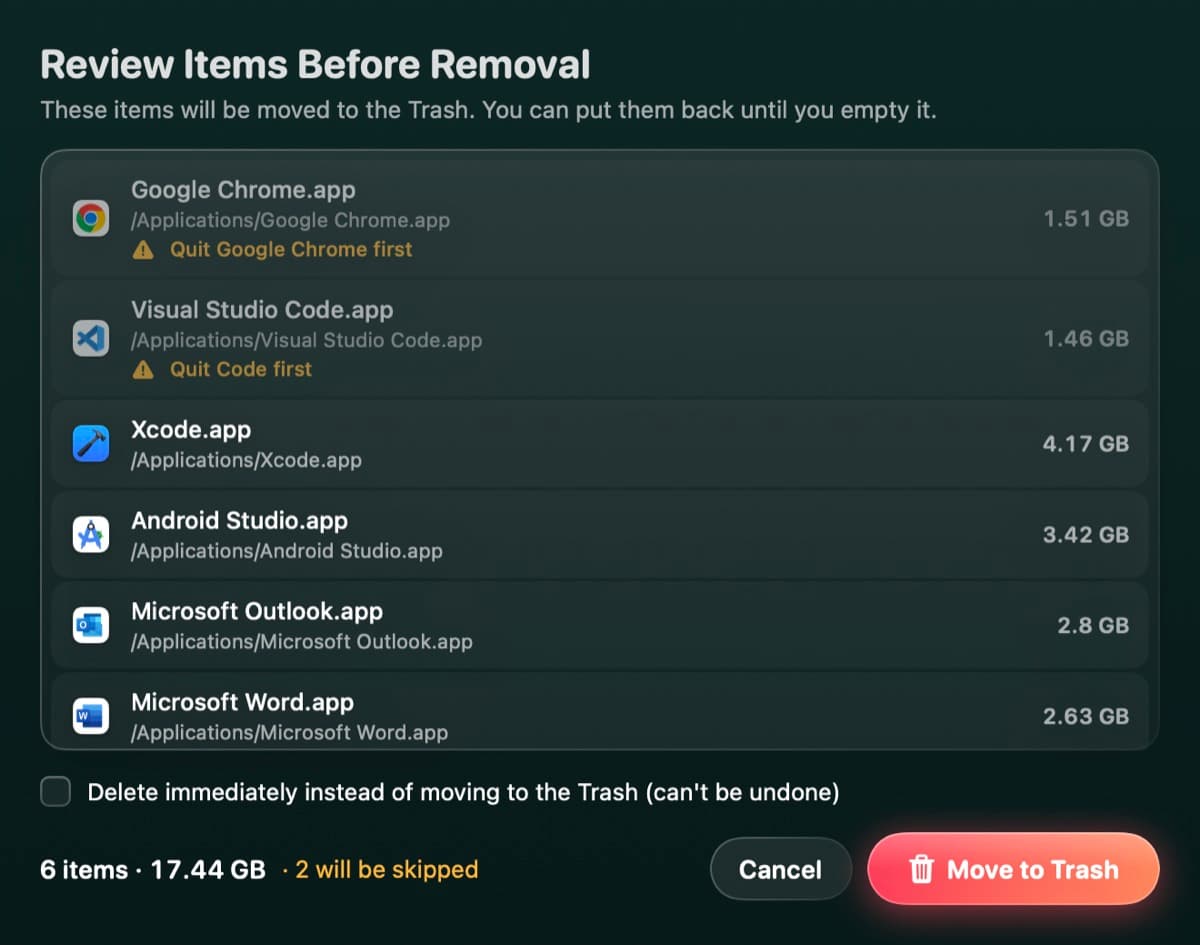
Nothing goes without review
Every scan ends in a list you can check, change or cancel.
The Trash first
Anything you might want back goes to the Trash: AI models, Disk Map removals, Declutter, uninstalled apps and auto-tidy.
No surprises across disks
Scans never cross into other disks, never follow symlinks and never download iCloud files.
Threats are quarantined
Malware is moved to a quarantine you can restore from, never deleted on the spot.
No account, no tracking
No analytics. Sweep only goes online to check for updates to your apps.
Open source
Read exactly what Sweep does before you give it Full Disk Access.
Every scan ends in a review
Results come as categories, groups and items, each with a checkbox. Sweep ticks only what's safe and quick to rebuild, and leaves the rest for you to decide.
- Search and sort by size
- Items in use are left unticked, with a note
- Cancel at any point before you press the button
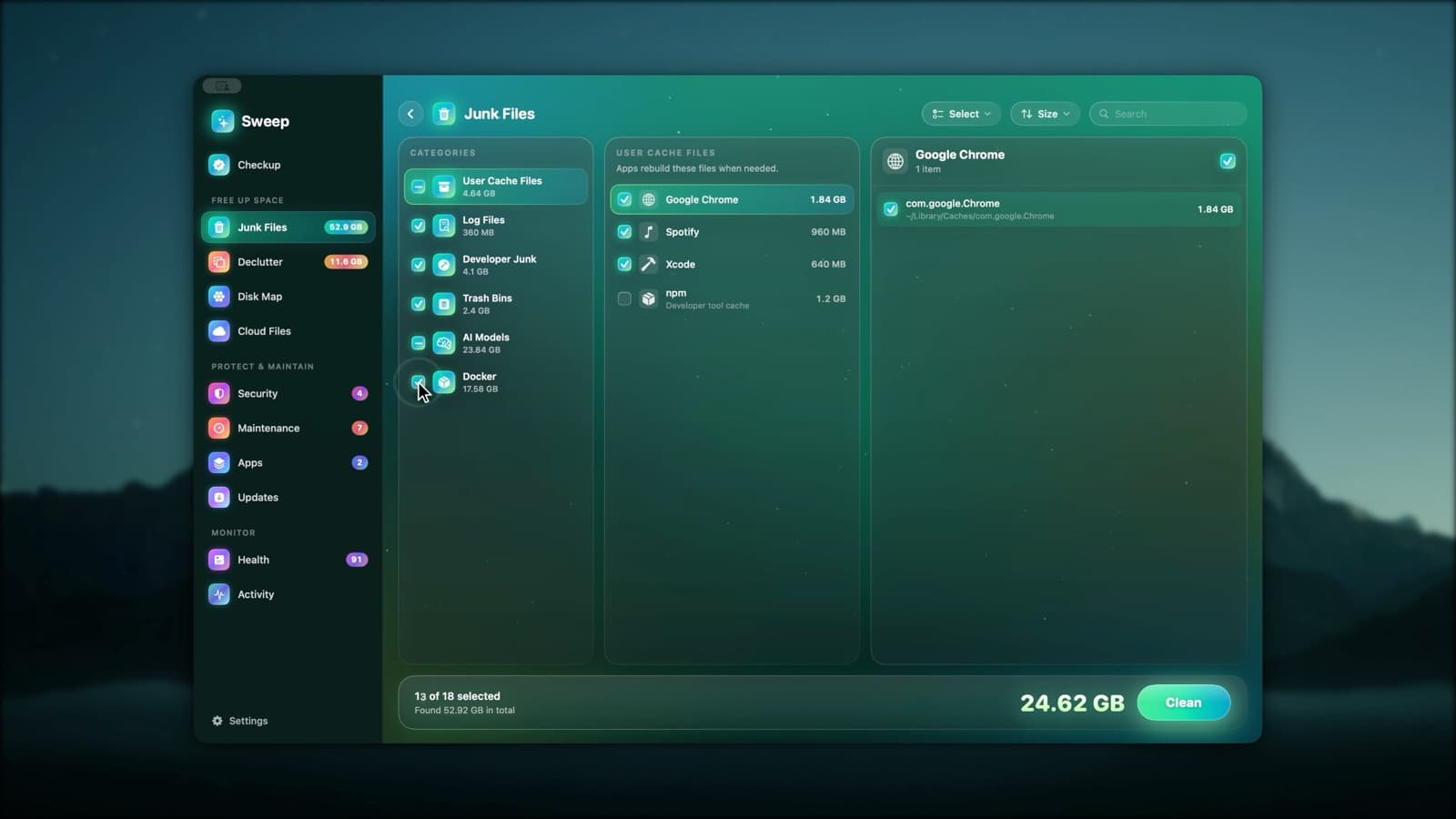
The Trash for anything you might want back
Caches and logs are deleted by default, because apps rebuild them. Everything you might want back goes to the Trash: AI models, Disk Map removals, Declutter, uninstalled apps, leftovers and auto-tidy. Want junk in the Trash too? It's one switch.
- Malware goes to a quarantine you can restore from
- Cloud Files frees local copies without deleting files
- Disk Map's Delete immediately is never ticked for you
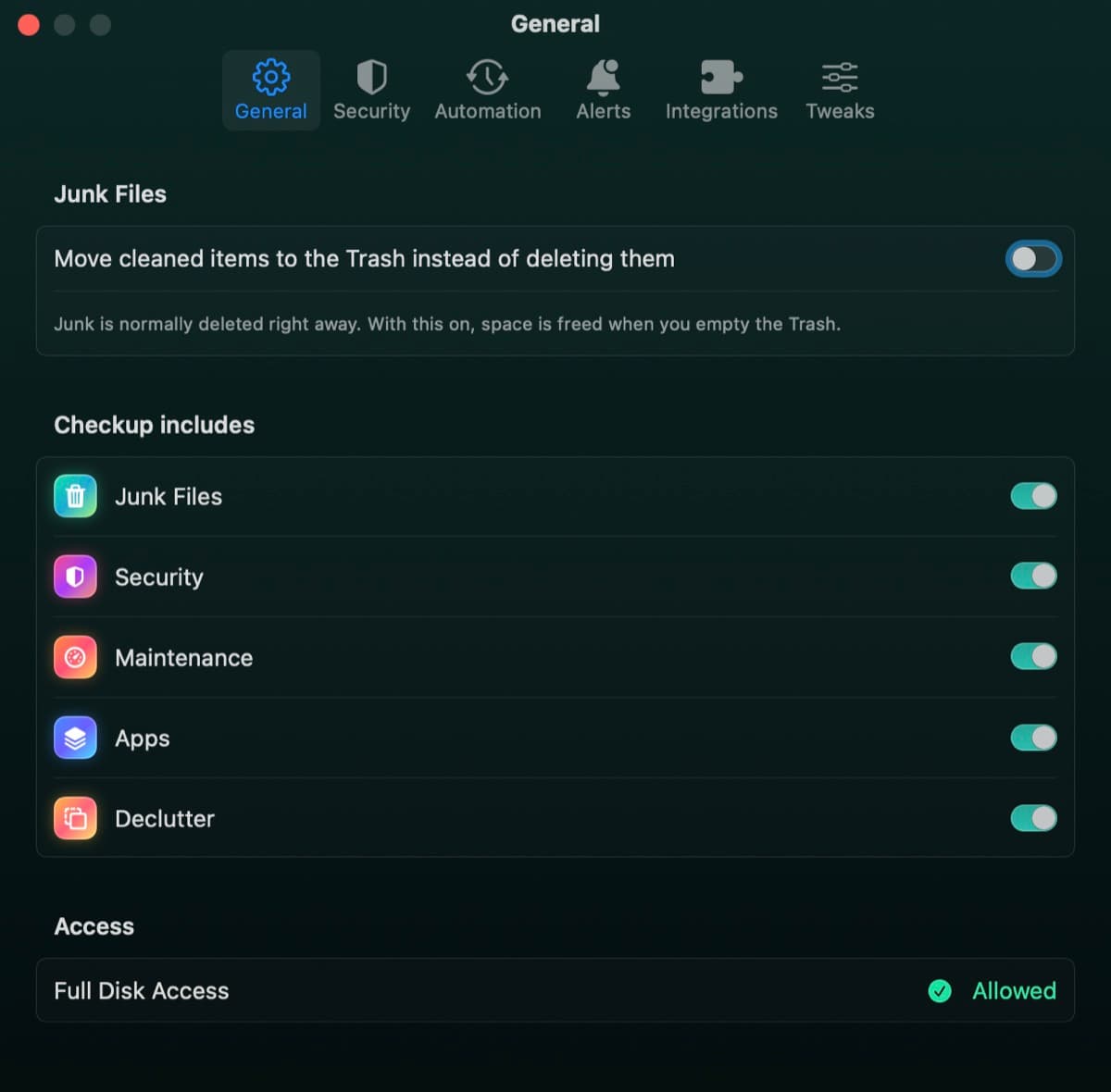
A remover that knows when to say no
Every removal goes through one remover that checks each path first. It refuses:
- Anything that isn't a plain, absolute path
- Parts of macOS, like /System, /usr/bin and /Library/Apple
- Required folders, like your home, Library, Desktop and Documents (only what's inside them can go)
- The root of any disk
- Files macOS protects with System Integrity Protection
- Locked files, until you unlock them in Finder
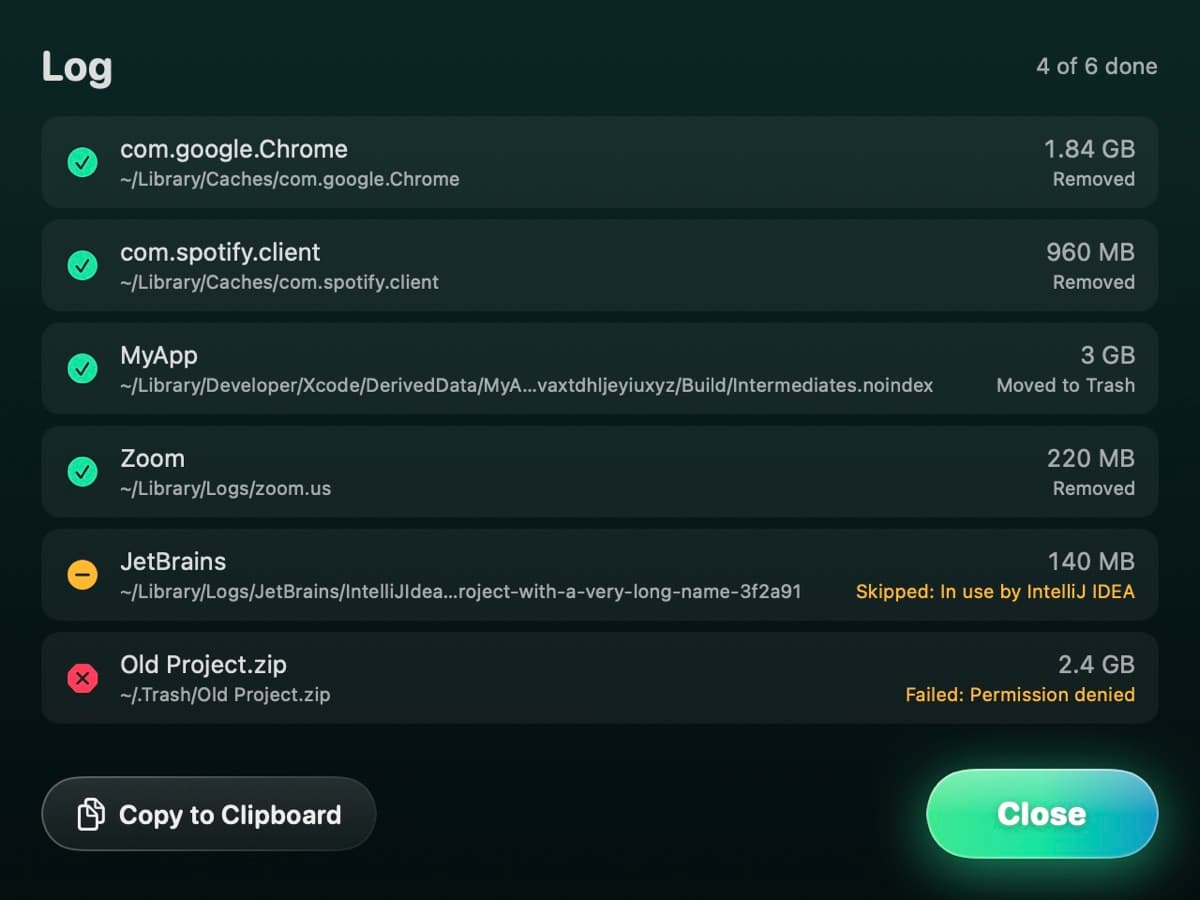
A record of every action
After each run, the log shows what happened to every item: removed, moved to the Trash, skipped or failed, with the reason.
- Skipped items say why, like an app still in use
- Copy the log to the clipboard
- Disk Map removals are logged too
Scans that stay in their lane
- 1
Never crosses disks
A scan stays on the disk you pick. Scanning / skips the firmlinked data volume, so nothing is counted twice.
- 2
Never follows symlinks
Links are listed as links, never followed somewhere else.
- 3
Never downloads cloud files
Each scanner thread tells macOS not to download iCloud or cloud-drive placeholders, so a scan can't fill your disk.
- 4
Lets apps clean themselves
Docker frees its own space with its own commands, and volumes are never touched.
No account. No analytics. No tracking.
Sweep has no accounts and collects no analytics. Everything it records, from Disk Map history to camera and microphone use, stays on your Mac.
It goes online for one thing: checking for updates to your apps, using each app's own update feed, the App Store and, if you use it, Homebrew.
Tasks that need administrator rights use the standard macOS password prompt, once per batch. Sweep doesn't install a background helper to do it.
Automation is opt-in
Scheduled checkups and auto-tidy rules are off until you switch them on. A scheduled clean only moves caches and logs in your home folder that Sweep ticks by default, and they go to the Trash.
Explore AutomationSafety questions
Something else? Ask us.
Clean with confidence.
Review everything, keep what you want, and get the space back.