

Junk Files
Gigabytes back, safely.
Sweep finds caches, logs, old iPhone backups, installers and full Trash bins, and shows you every file before anything goes. You choose what to clean, down to a single file.
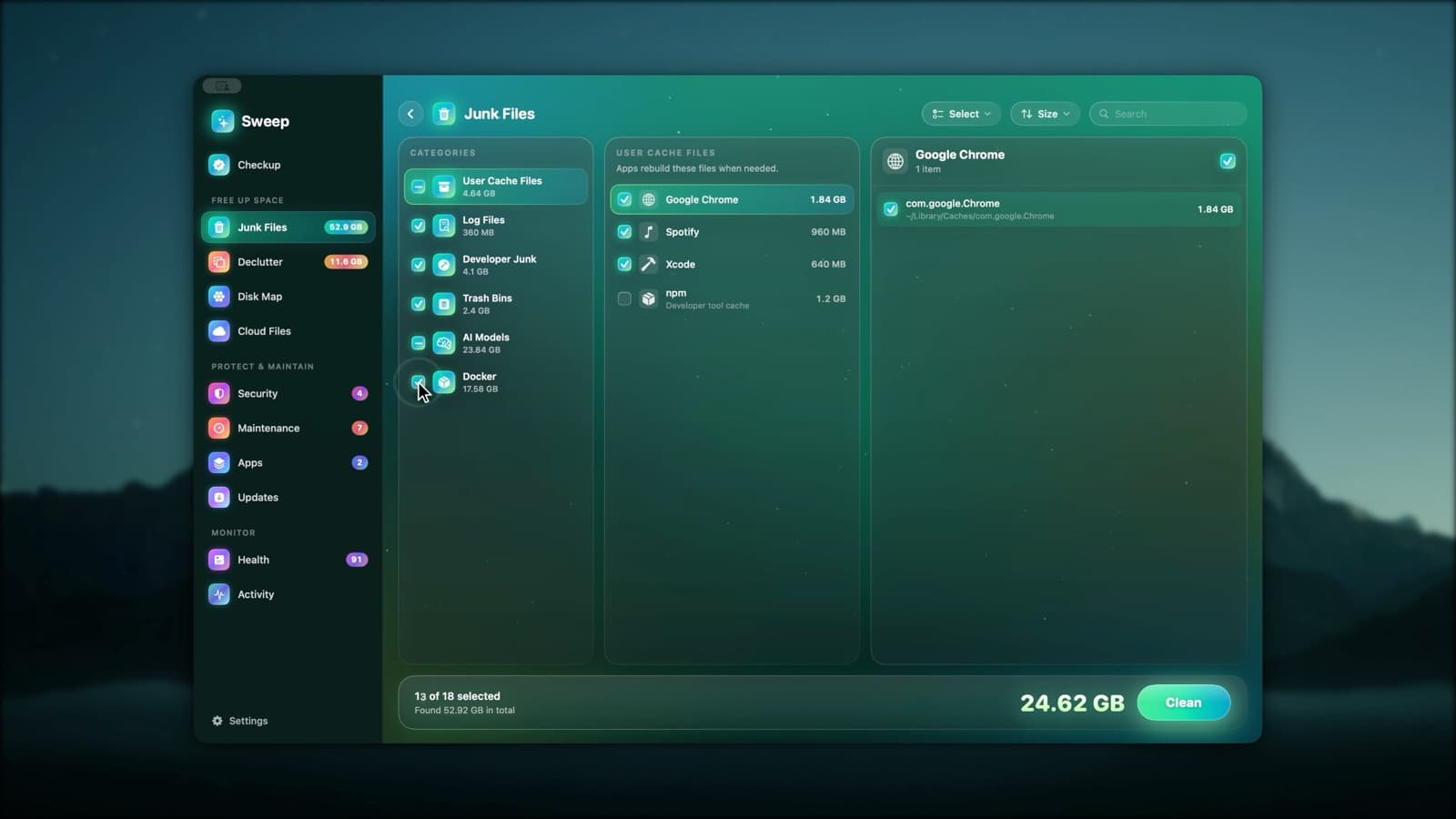
The usual junk, and the junk other cleaners miss
Junk Files groups everything by category, then by app or folder, so you can see exactly where the space is.
- App caches, including sandboxed apps
- System caches
- User and system logs, and old rotated system logs
- Damaged preference files
- Launch agents for programs that no longer exist
- Old iPhone and iPad backups
- Device software downloaded to update or restore an iPhone or iPad
- Developer junk from Xcode and package managers
- Local AI models
- Docker's build cache, unused images and stopped containers
- Your Trash, iCloud Drive's Trash and the Trash on other disks
- Mail attachments you can download again from the server
From scan to clean
- 1
Scan
Sweep looks through caches, logs, backups, developer folders and Trash bins, and measures each one.
- 2
Review
Open a category, then an app, then its files. Tick or untick anything, search, or sort by size.
- 3
Clean
Caches and logs are deleted by default, because apps rebuild them. Prefer the Trash? It's one switch in Settings.
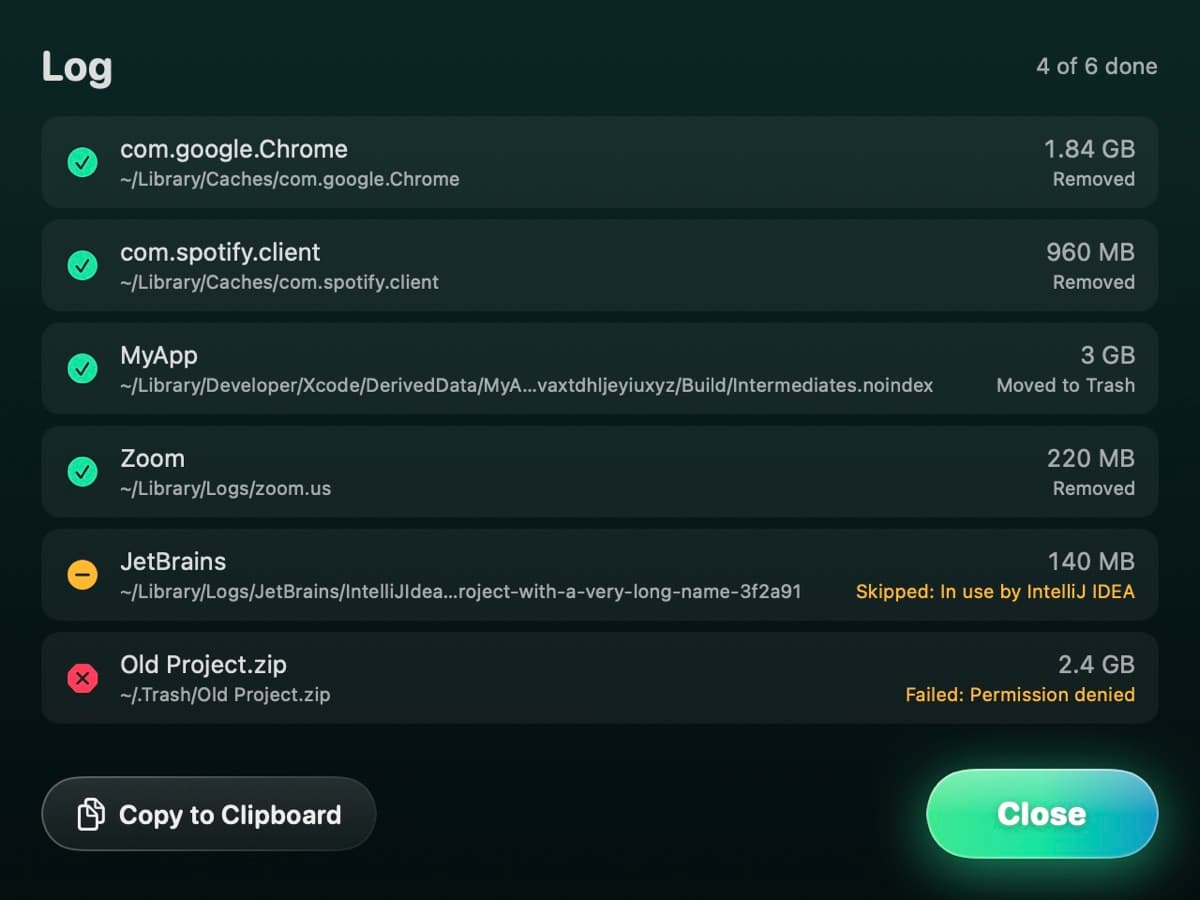
Every clean ends with a log
If an app is open, its cache isn't ticked for you, and the list says to quit it first. When the clean is done, the log shows what happened to every item.
- Removed, moved to the Trash, skipped or failed, with the reason
- Copy the log to the clipboard
- Slow-to-rebuild items are listed but never ticked for you
Junk Files questions
Something else? Ask us.
Works well with
Developer junk
Xcode build products, simulator caches and device files pile up fast. Sweep lists them next to npm, Gradle, pip, Yarn, Cargo, Go and CocoaPods caches, and only ticks what Xcode rebuilds on its own.
ExploreLocal AI models
Sweep lists the models you downloaded with Ollama, LM Studio and Hugging Face tools, with their size and date. It points out the same model kept by two apps, and removed models go to the Trash.
ExploreDocker cleanup
Sweep asks Docker what it can free: build cache, unused images and stopped containers. It cleans them with Docker's own commands and never touches volumes.
Explore
Clean, protect and understand your Mac.
Finds junk, big files and leftovers, checks for malware and risky settings, keeps apps updated, and shows what your Mac does when you're not looking. Free and open source.