

Your phone in Finder
Your phone's storage, mounted like a drive.
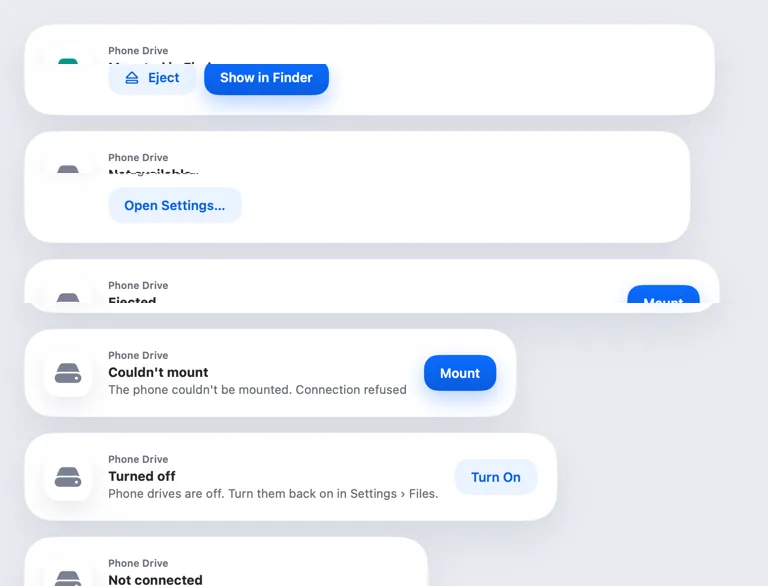
ProYour phone shows up in Finder's sidebar. Open, copy and save files on it as if it were a disk.
Every Pro feature free for 14 days. No card.
What it does.
Hitch for Android runs a small file server only when your paired Mac asks for it, with a new password each time. Your Mac mounts it in Finder, and videos start playing right away.
Share the whole storage, or only folders you pick on the phone. The drive ejects when the phone disconnects or after ten idle minutes.
How it works.
- 1
Let the Mac browse the phone
Turn it on in Hitch on the phone, and pick what to share.
- 2
Open Finder
The phone appears under Locations.
Every Pro feature free for 14 days. No card.
The limits, plainly.
- Only your paired Mac can connect.
- The drive needs the same network as the Mac.
Try it in the Hitch beta.
Hitch is in a tester beta for Mac and Android. Ask to join, and we'll let you know when there's room.
Every Pro feature free for 14 days. No card.
Mac: macOS 15 or later · Phone: Android 10 or later · Developer settings: Not needed
