

Checkup
One scan for your whole Mac.
Press Scan once and Sweep looks for junk, threats, maintenance tasks and app updates in turn. Review any card, or run everything at once.

Three steps, and you stay in charge
- 1
Press Scan
Junk Files, Security, Maintenance and Apps run one after another. Declutter joins in if you switch it on.
- 2
Review the cards
Each card says what it found: gigabytes of junk, a threat to remove, tasks to run or apps to update. Open any card to see every item.
- 3
Run all tasks
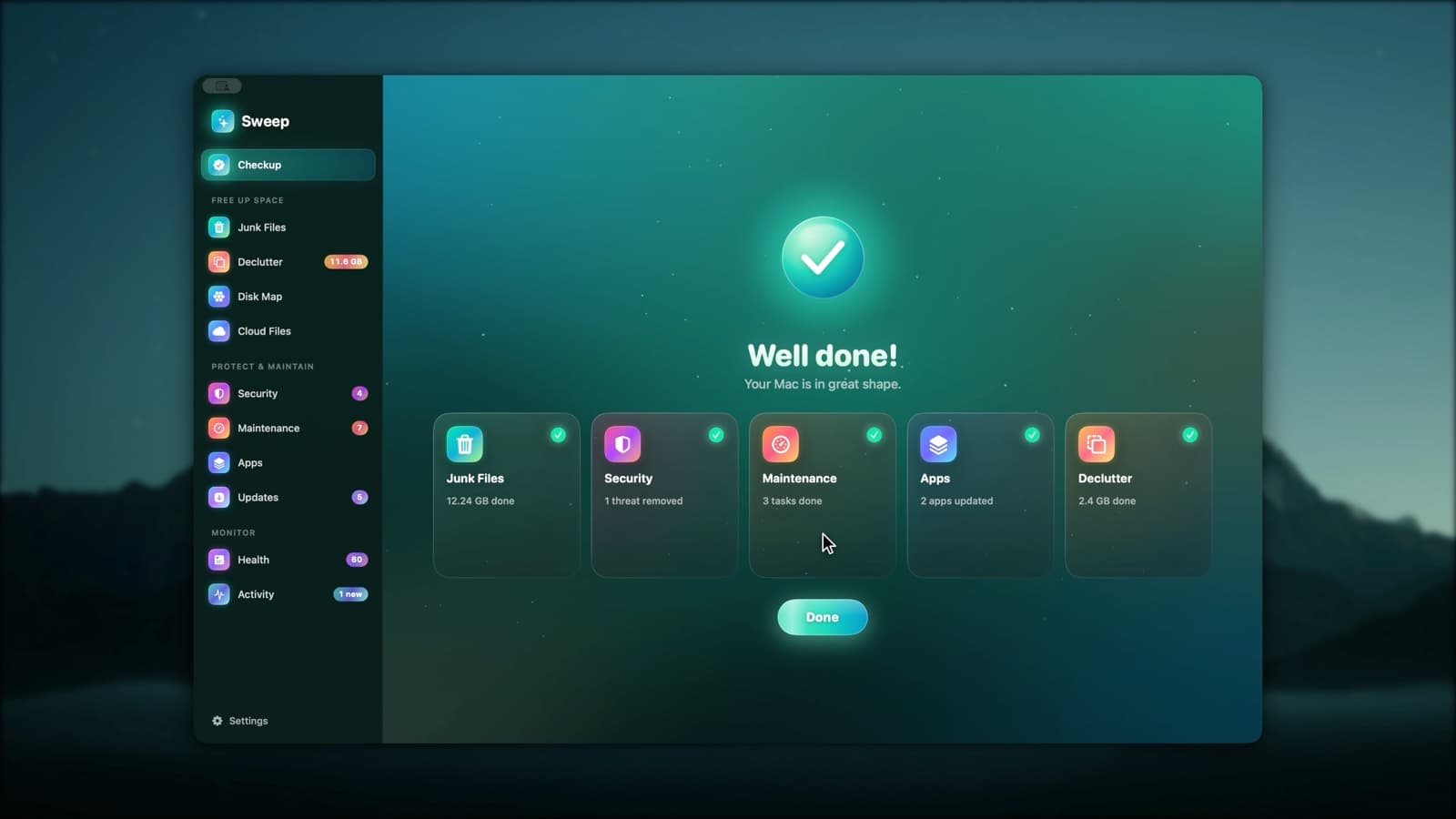
One button runs everything you left ticked. A Done screen sums up each card, with a log of every item.
A clear summary, card by card
When the tasks finish, each card shows its result: junk cleaned, threats removed, tasks run and apps updated. Nothing ran that you didn't leave ticked.
- Choose which modules Checkup includes in Settings
- Open any card to change what's ticked first
- Start Over to scan again at any time
Or run it on a schedule
Checkup can scan every day, week or month and tell you what it found. If you prefer, it can also clean caches and logs on its own, moving them to the Trash.
Explore Automation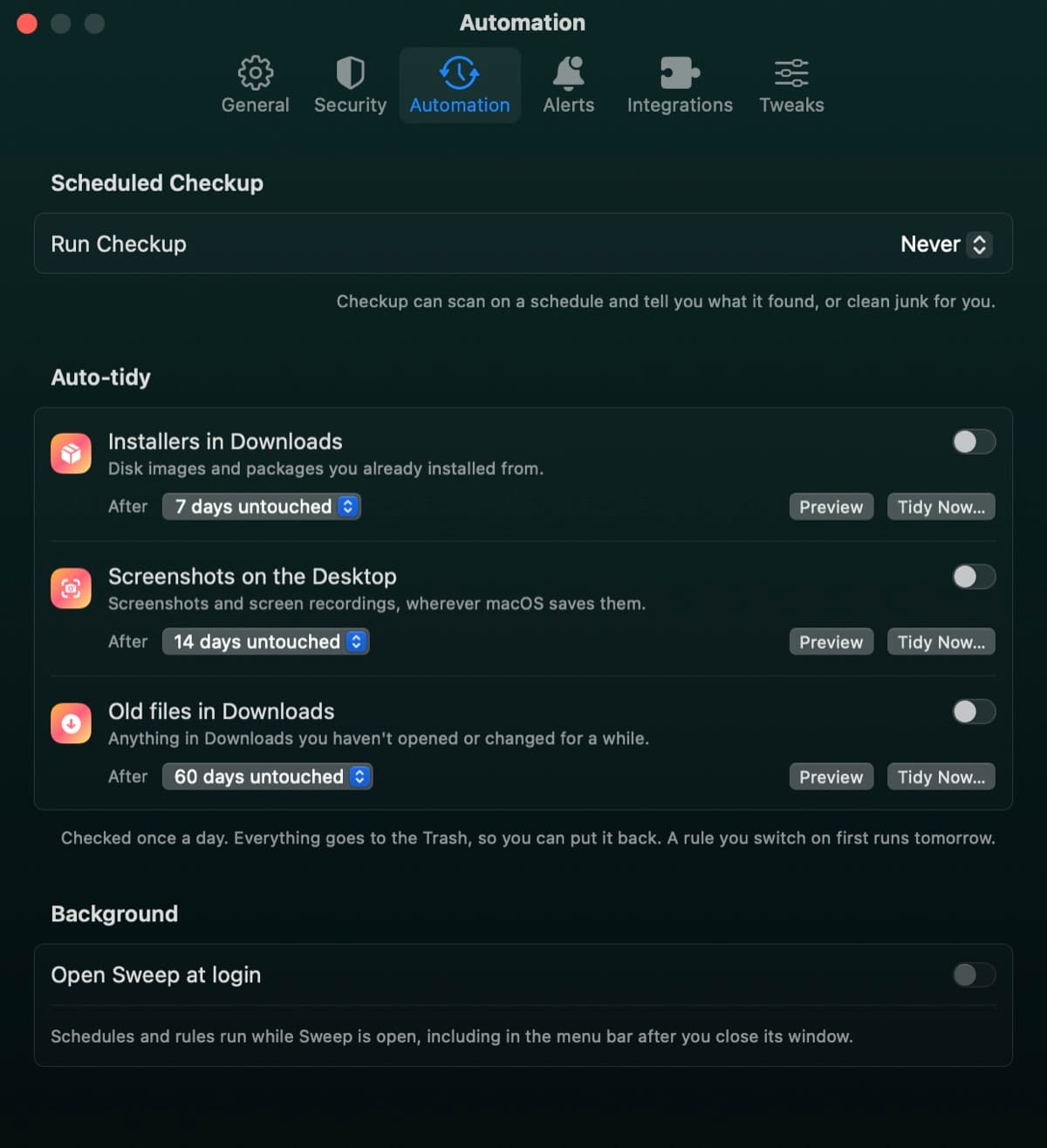
Checkup questions
Something else? Ask us.
Works well with
Junk Files
Sweep finds caches, logs, old iPhone backups, installers and full Trash bins, and shows you every file before anything goes. You choose what to clean, down to a single file.
ExploreMalware scan
Sweep checks your apps, startup items and downloads against the XProtect rules already on your Mac, plus any YARA rules you add. Anything it finds goes to a quarantine you can restore from.
ExploreAutomation
Run Checkup every day, week or month and hear what it found. Auto-tidy rules move old installers, desktop screenshots and old downloads to the Trash, once a day.
Explore
Clean, protect and understand your Mac.
Finds junk, big files and leftovers, checks for malware and risky settings, keeps apps updated, and shows what your Mac does when you're not looking. Free and open source.