

Automation
Scheduled checkups and tidy folders, on your terms.
Run Checkup every day, week or month and hear what it found. Auto-tidy rules move old installers, desktop screenshots and old downloads to the Trash, once a day.
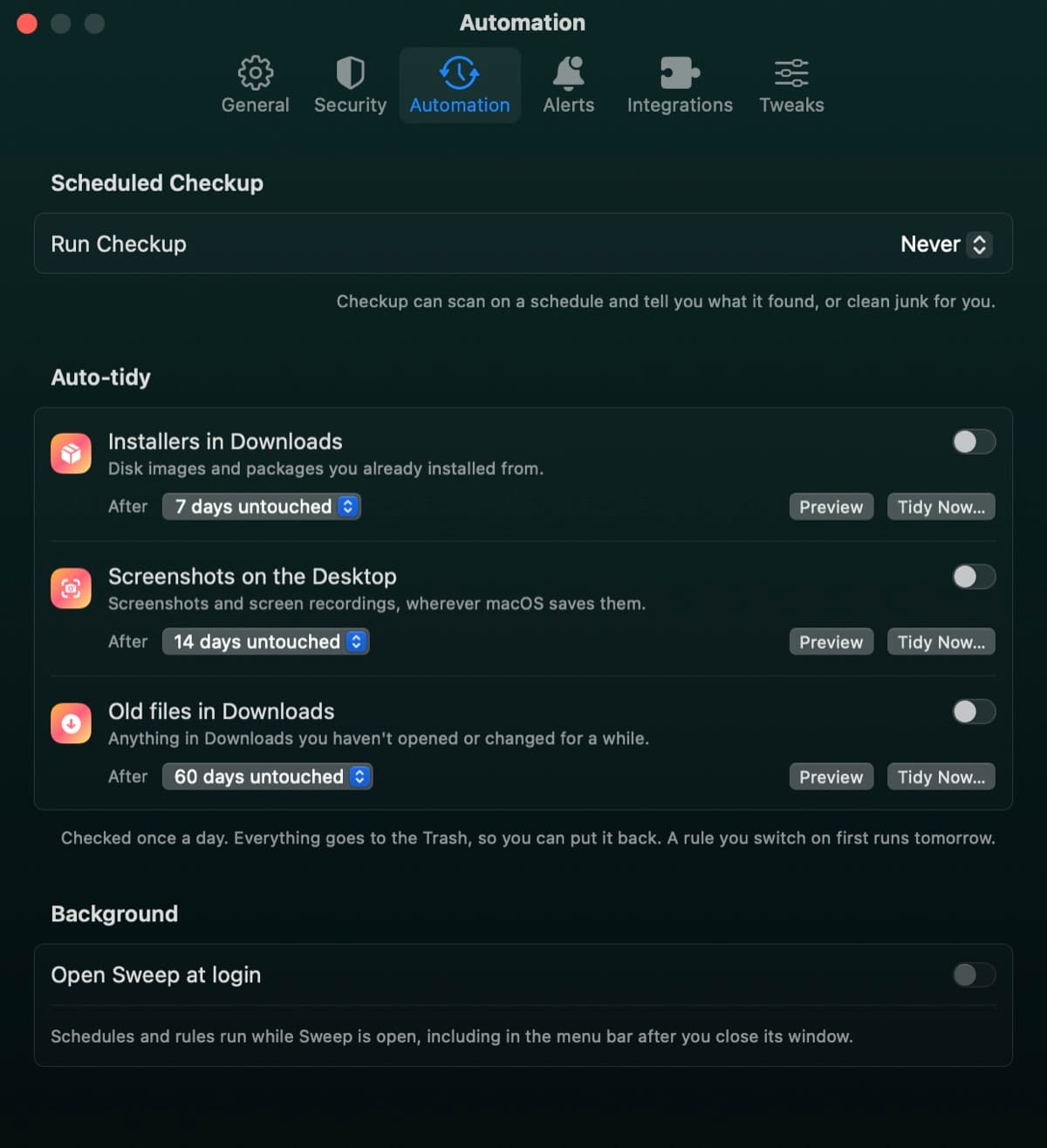
Three rules for the folders that fill up
Installers in Downloads
Disk images and packages you already installed from. After 7 days untouched, by default.
Screenshots on the Desktop
Screenshots and screen recordings, wherever macOS saves them. After 14 days untouched, by default.
Old files in Downloads
Anything in Downloads you haven't opened or changed for a while. After 60 days untouched, by default.
A checkup that comes to you
- 1
Pick when
Every day, week or month, at the time you choose.
- 2
Pick what happens
Tell me what it found, or clean junk automatically.
- 3
Come back to results
Results wait in the app. A scheduled clean only moves caches and logs in your home folder that Sweep ticks by default, and they go to the Trash.
Safe by default
- Every rule is off until you switch it on
- Preview shows what a rule would move
- Everything goes to the Trash, so you can put it back
- A rule you switch on first runs tomorrow
- Schedules run while Sweep is open, including from the menu bar
Automation questions
Something else? Ask us.
Works well with
Checkup
Press Scan once and Sweep looks for junk, threats, maintenance tasks and app updates in turn. Review any card, or run everything at once.
ExploreDeclutter
Declutter looks through your Desktop, Documents, Downloads, Pictures, Movies and Music for exact duplicates, photos that look nearly the same, large or old files and old downloads. Everything it removes goes to the Trash.
ExploreMaintenance
Run the tasks people usually look up for Terminal: flush the DNS cache, free up memory, thin Time Machine snapshots, speed up Mail and more. Each task says what it fixes, and the ones that need your password say so.
Explore
Clean, protect and understand your Mac.
Finds junk, big files and leftovers, checks for malware and risky settings, keeps apps updated, and shows what your Mac does when you're not looking. Free and open source.