

Left-Behind
Walk off without your Mac, or your phone, and you'll know.
ProIf you leave your Mac somewhere you don't trust, your phone tells you. If your phone stayed behind, your Mac does. No location permission needed.
Every Pro feature free for 14 days. No card.
What it does.
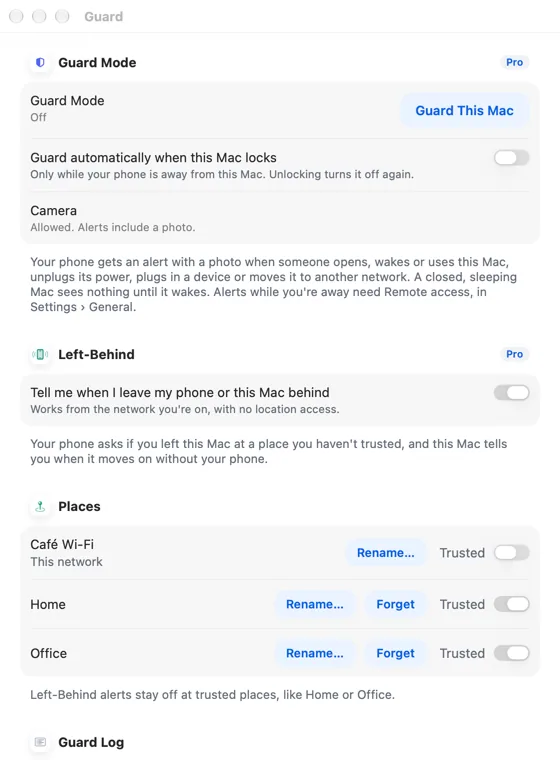
Name the places you trust, like Home and Office, and alerts stay off there. Hitch recognises a place by its network, without asking for your location.
Elsewhere, if the link to your Mac drops without the Mac going to sleep and your phone then moves, your phone asks whether you left the Mac behind, with Guard it.
If you open your Mac somewhere new and your phone dropped off at the last place, the Mac tells you where it was last connected.
How it works.
- 1
Name trusted places
In Settings › Guard › Places.
- 2
Close the lid as usual
A Mac going to sleep never triggers an alert.
Every Pro feature free for 14 days. No card.
In the app.
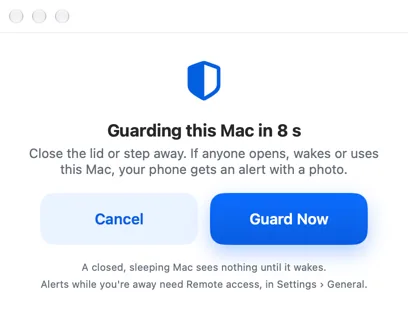
Screenshots from Hitch, with sample names and data.
The limits, plainly.
- Works from the networks you join; it doesn't track where you are.

Try it in the Hitch beta.
Hitch is in a tester beta for Mac and Android. Ask to join, and we'll let you know when there's room.
Every Pro feature free for 14 days. No card.
Mac: macOS 15 or later · Phone: Android 10 or later · Developer settings: Not needed
