

Startup items
Know everything that starts by itself.
Sweep lists every login item, launch agent and background helper, who signed it and whether it's running. It flags new ones as they appear, and points out items that behave like adware.
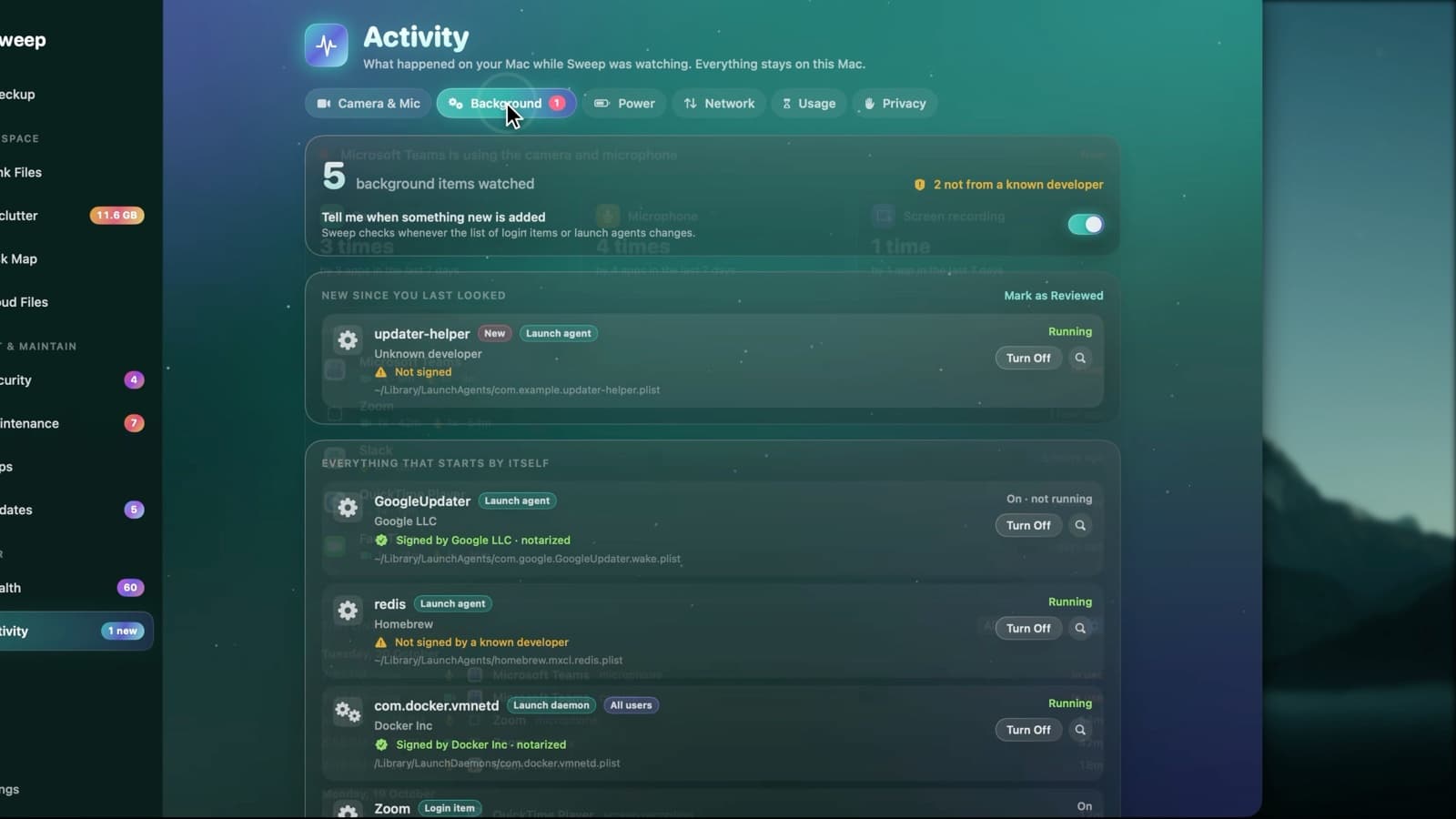
Nothing starts behind your back
- 1
One list
Activity › Background shows everything that starts by itself, read from macOS's own login item database.
- 2
Who made it
Each item shows its developer and code signature: signed and notarized, or not signed by a known developer.
- 3
New ones flagged
When something new is added, Sweep flags it and can notify you. Mark it as reviewed once you've checked it.
The red flags Sweep looks for
Startup items with any of these signs are listed as suspicious, for you to review. None is ticked for you.
- Injects code into other programs
- Downloads or decodes code and runs it
- Runs from a hidden or temporary folder
- Isn't signed, on top of another warning
- Pretends to be part of macOS
Turn things off, reversibly
Launch agents can be turned off from Sweep and turned back on later. Login items and app helpers open the right page in System Settings, and system-wide items ask for your administrator password.
Startup item questions
Something else? Ask us.
Works well with
Malware scan
Sweep checks your apps, startup items and downloads against the XProtect rules already on your Mac, plus any YARA rules you add. Anything it finds goes to a quarantine you can restore from.
ExploreMaintenance
Run the tasks people usually look up for Terminal: flush the DNS cache, free up memory, thin Time Machine snapshots, speed up Mail and more. Each task says what it fixes, and the ones that need your password say so.
ExploreKeyboard watch and permissions
Some apps can see every key you press: text expanders and shortcut tools, but also keyloggers. Sweep lists them with who signed them, next to every permission you've given apps on your Mac.
Explore
Clean, protect and understand your Mac.
Finds junk, big files and leftovers, checks for malware and risky settings, keeps apps updated, and shows what your Mac does when you're not looking. Free and open source.