

Security checklist
The settings that keep your Mac safe, checked in one place.
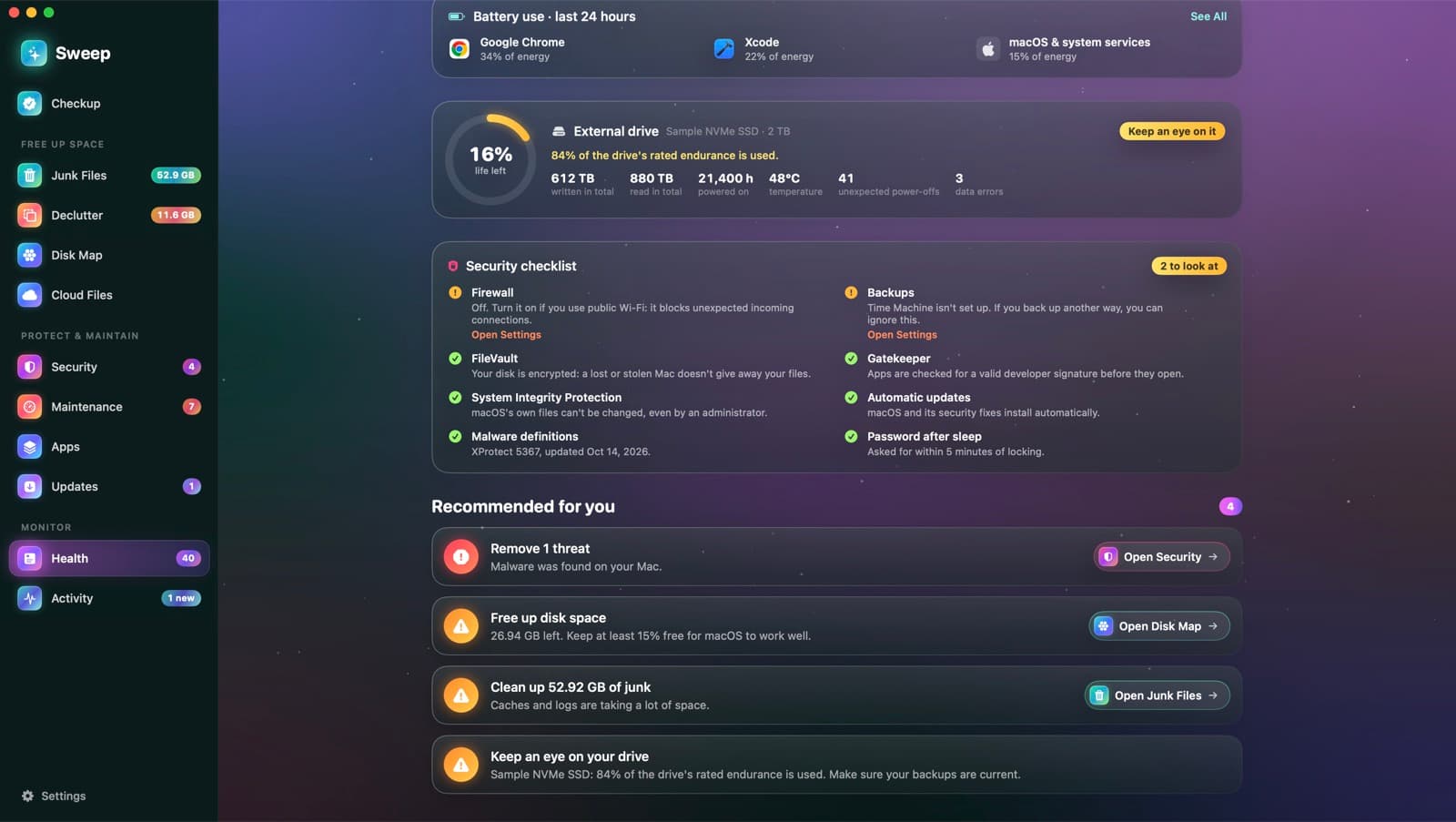
Sweep checks eight settings that matter, from FileVault to backups, and explains each in a sentence. Anything that needs attention comes with a button to the right page in System Settings.
Eight settings, in plain words
FileVault
Your disk is encrypted, so a lost or stolen Mac doesn't give away your files.
Firewall
Apps you haven't allowed can't accept incoming connections.
Gatekeeper
Apps are checked for a valid developer signature before they open.
System Integrity Protection
macOS's own files can't be changed, even by an administrator.
Automatic updates
macOS and its security fixes install automatically.
Malware definitions
Which XProtect version you have, and when it was last updated.
Password after sleep
How soon your password is asked for after the screen locks.
Backups
Whether Time Machine is set up, and when it last backed up.
Next to your drive's health
The checklist sits in Health, beside your drive's health and the speed test. Settings that need attention lower the health score a little, with a recommendation that says why.
Explore the health score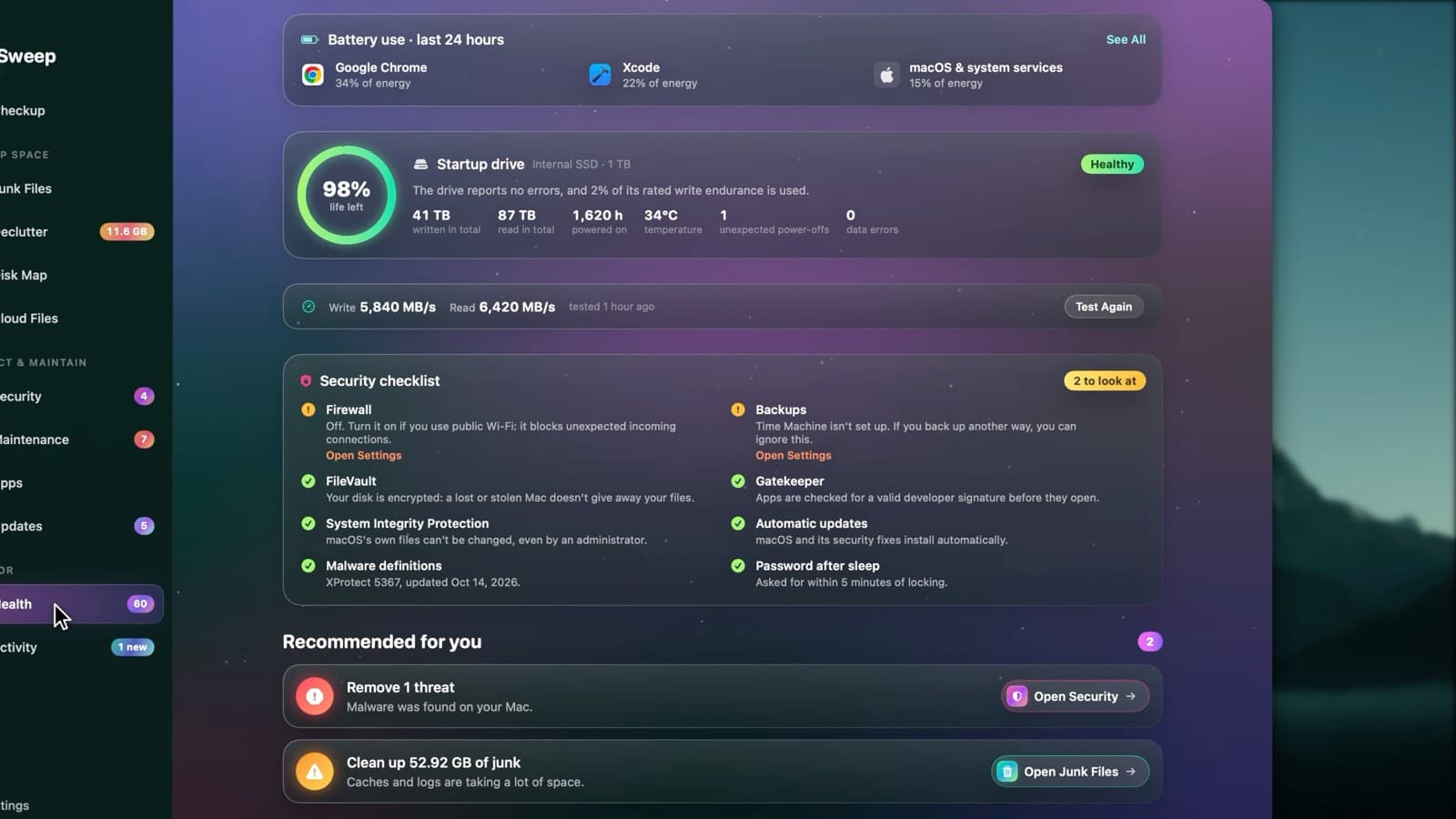
Checklist questions
Something else? Ask us.
Works well with
Health score
Health starts at 100 and takes off a fixed number of points for each problem it finds, so every point lost comes with a reason. Each recommendation opens the page that fixes it.
ExploreMalware scan
Sweep checks your apps, startup items and downloads against the XProtect rules already on your Mac, plus any YARA rules you add. Anything it finds goes to a quarantine you can restore from.
ExploreDrive Health and speed test
Sweep reads the health log your SSD keeps about itself: life left, data written and read, temperature and errors. A speed test measures real write and read speeds, then removes its test file.
Explore
Clean, protect and understand your Mac.
Finds junk, big files and leftovers, checks for malware and risky settings, keeps apps updated, and shows what your Mac does when you're not looking. Free and open source.