

Rosetta check
Spot Intel-only apps before Rosetta goes away.
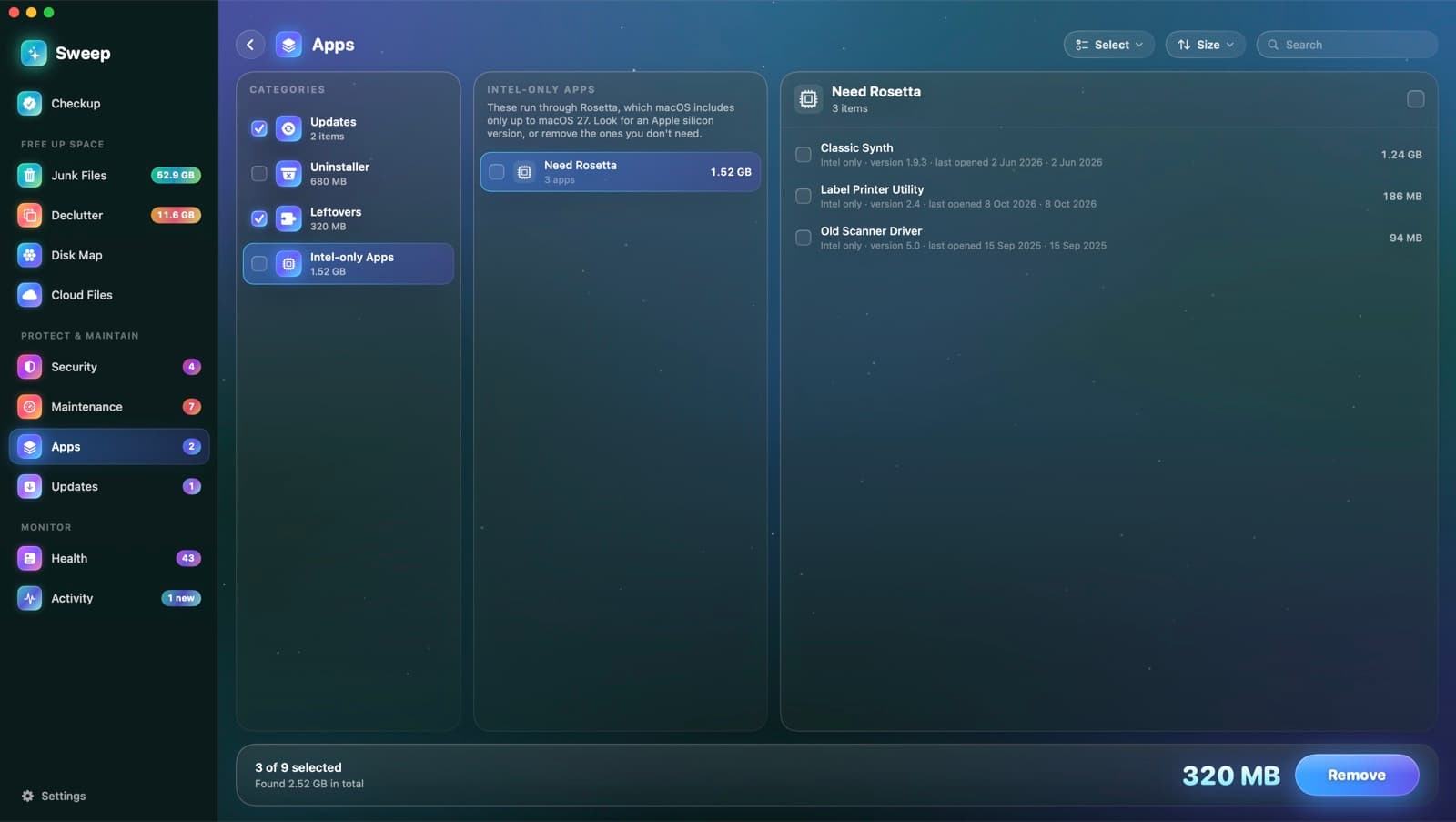
Intel-only apps run through Rosetta, which macOS includes only up to macOS 27. Sweep finds them now, so you have time to update or replace them.
Find out before an app stops opening
- 1
Reads each app's header
Sweep checks which processors each app's program is built for, straight from its Mach-O header, without opening it.
- 2
Lists the Intel-only ones
With each app's version, size and when you last opened it.
- 3
You decide
Look for an Apple silicon version, or remove the apps you don't need.
Good to know
- Runs as part of every Apps scan
- Shows up as a tip in your health score
- Nothing is ticked for you
- Removed apps go to the Trash
Rosetta questions
Something else? Ask us.
Works well with
Complete uninstalls
Dragging an app to the Trash leaves its caches, settings and helpers behind. Sweep finds the files an app owns across your Library and the system's, so you can remove all of it, or reset the app to a clean start.
ExploreUpdates
Sweep checks each app's own update feed, the App Store and Homebrew, and shows every update together. Update All asks before quitting open apps, and reopens them afterwards.
ExploreHealth score
Health starts at 100 and takes off a fixed number of points for each problem it finds, so every point lost comes with a reason. Each recommendation opens the page that fixes it.
Explore
Clean, protect and understand your Mac.
Finds junk, big files and leftovers, checks for malware and risky settings, keeps apps updated, and shows what your Mac does when you're not looking. Free and open source.